Bookings & calendar
Bookings & Inquiries is the hub for rentals, subscriptions, calendar occupancy, inquiries, purchases, and cancellations.
Open Bookings
- Shopify Admin → Apps → Rental Suite.
- Open Bookings (Bookings & Inquiries).
- Use tabs to switch list, calendar, and inquiry views.
Rentals list
Filter and search confirmed and pending rentals. Open a row for booking detail. Use New Booking for walk-in or phone rentals. see Create a booking.
Calendar & dates
Shoppers and admin New Booking open the same style of availability calendar. available, limited, booked, and blocked days.
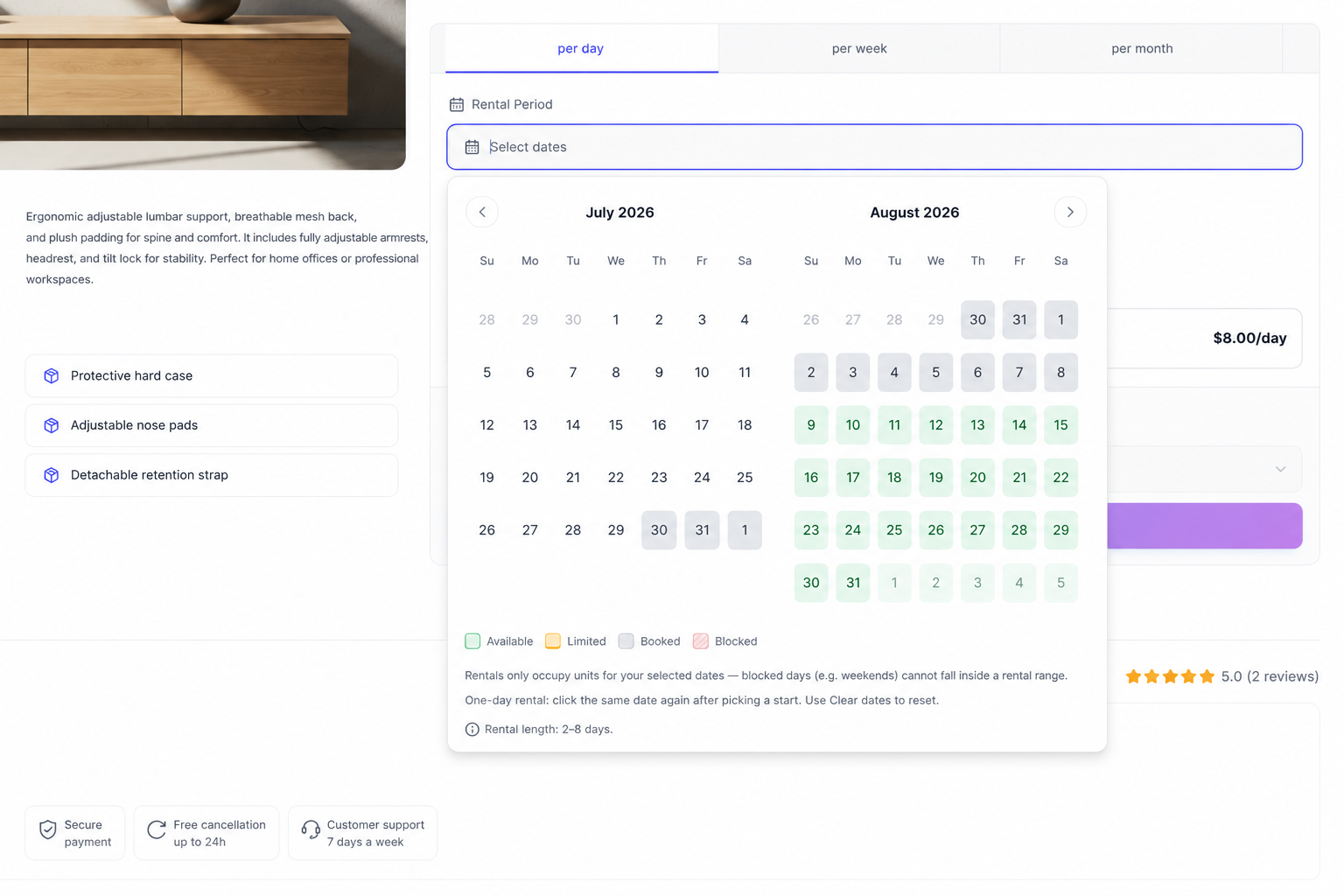
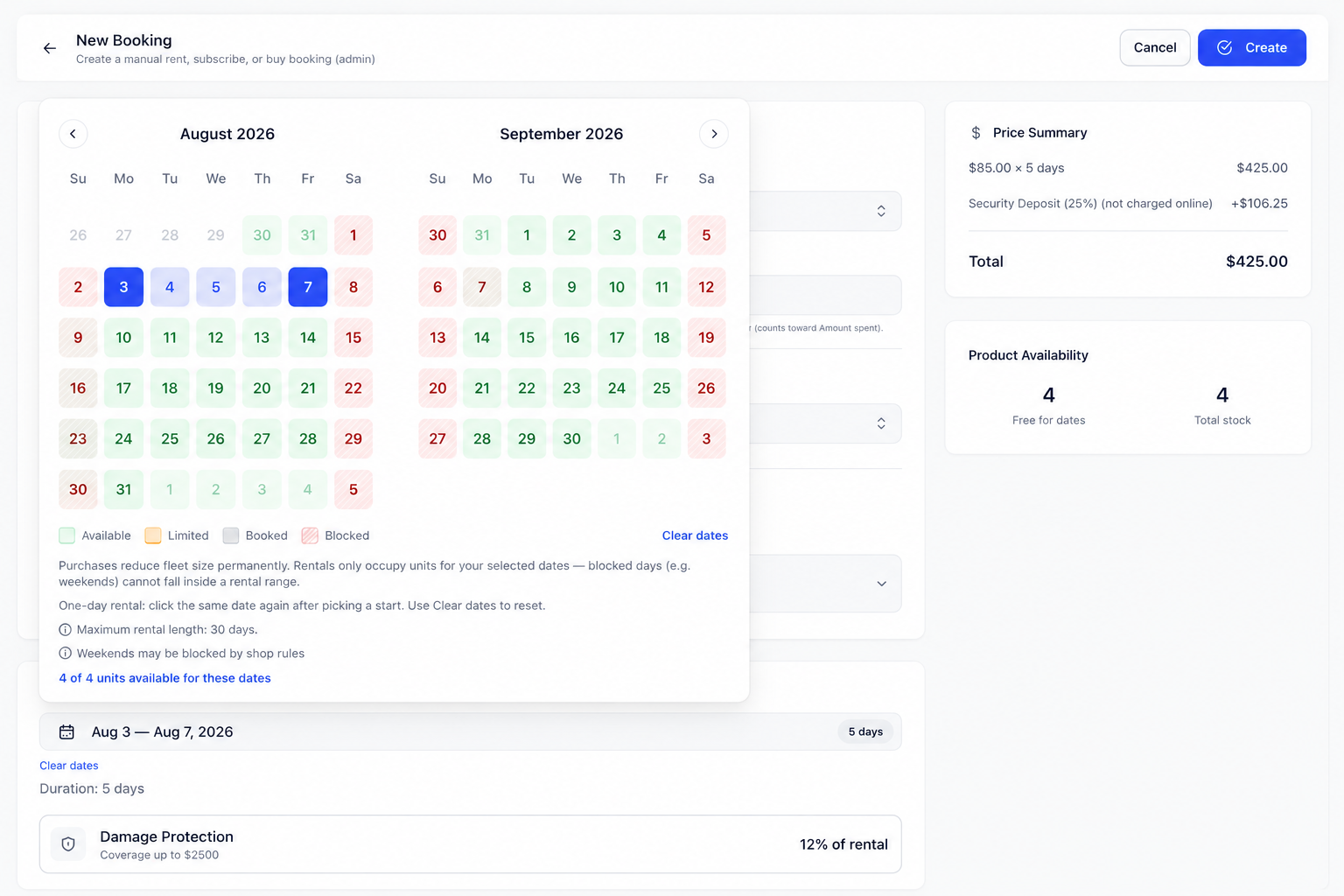
Same stock as storefront
Sellable quantity and date caps use one inventory engine for the storefront and New Booking. What shoppers can add to cart must match what staff can confirm in admin.
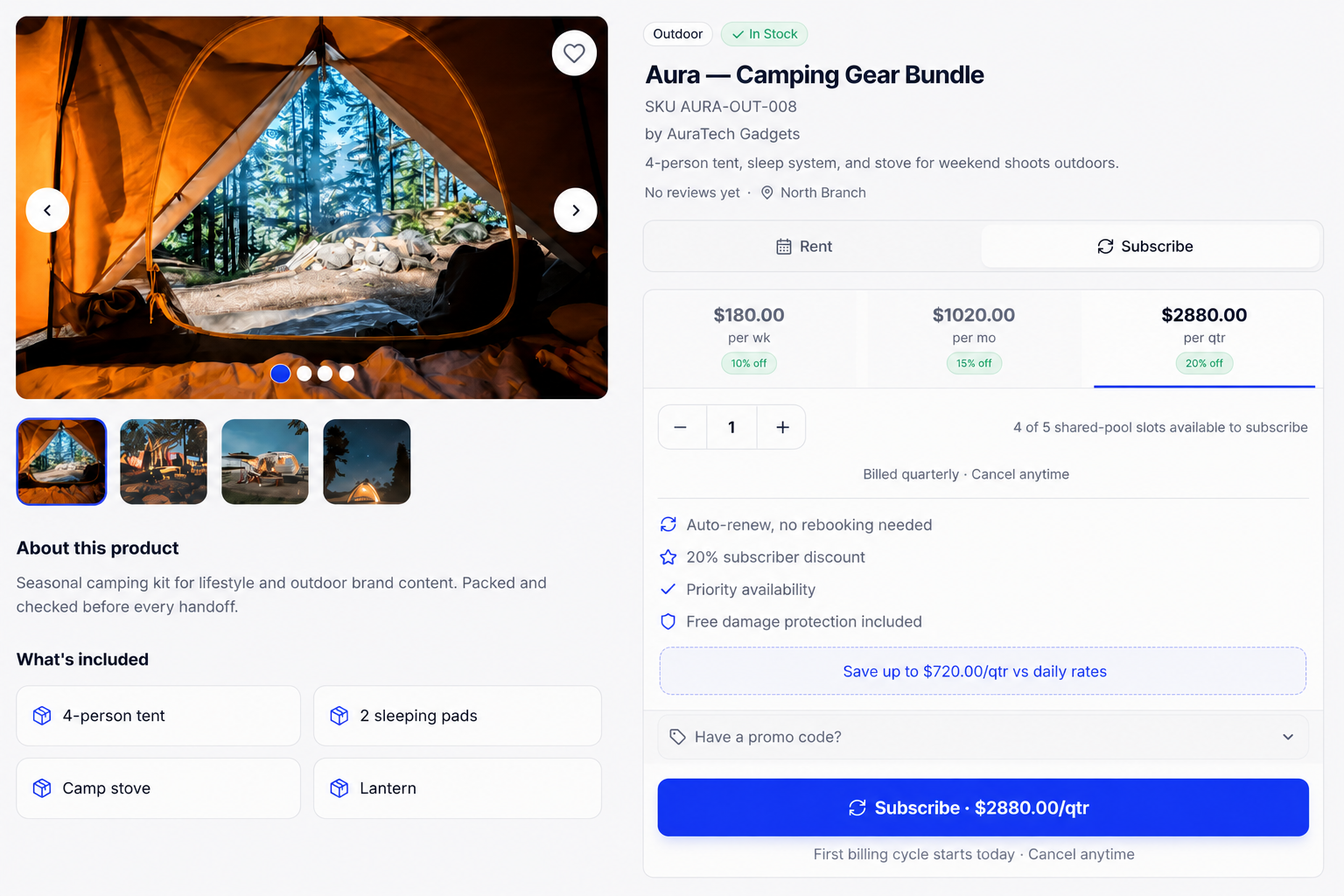
Storefront
On the product page, quantity (and dates on Rent) is limited by the same fleet cap. The example below is the Subscribe tab; Rent and Buy follow the same stock rules.
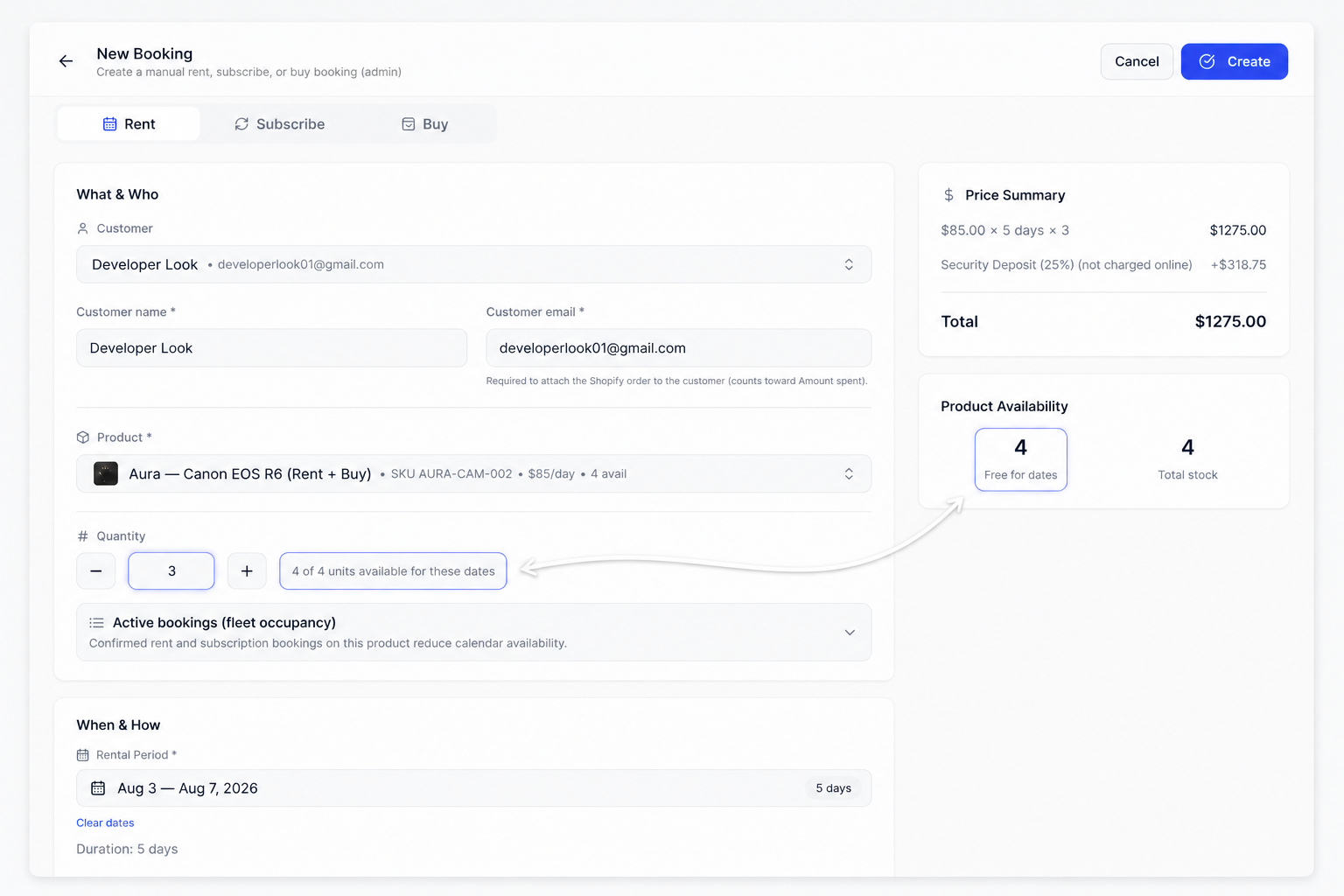
Admin New Booking
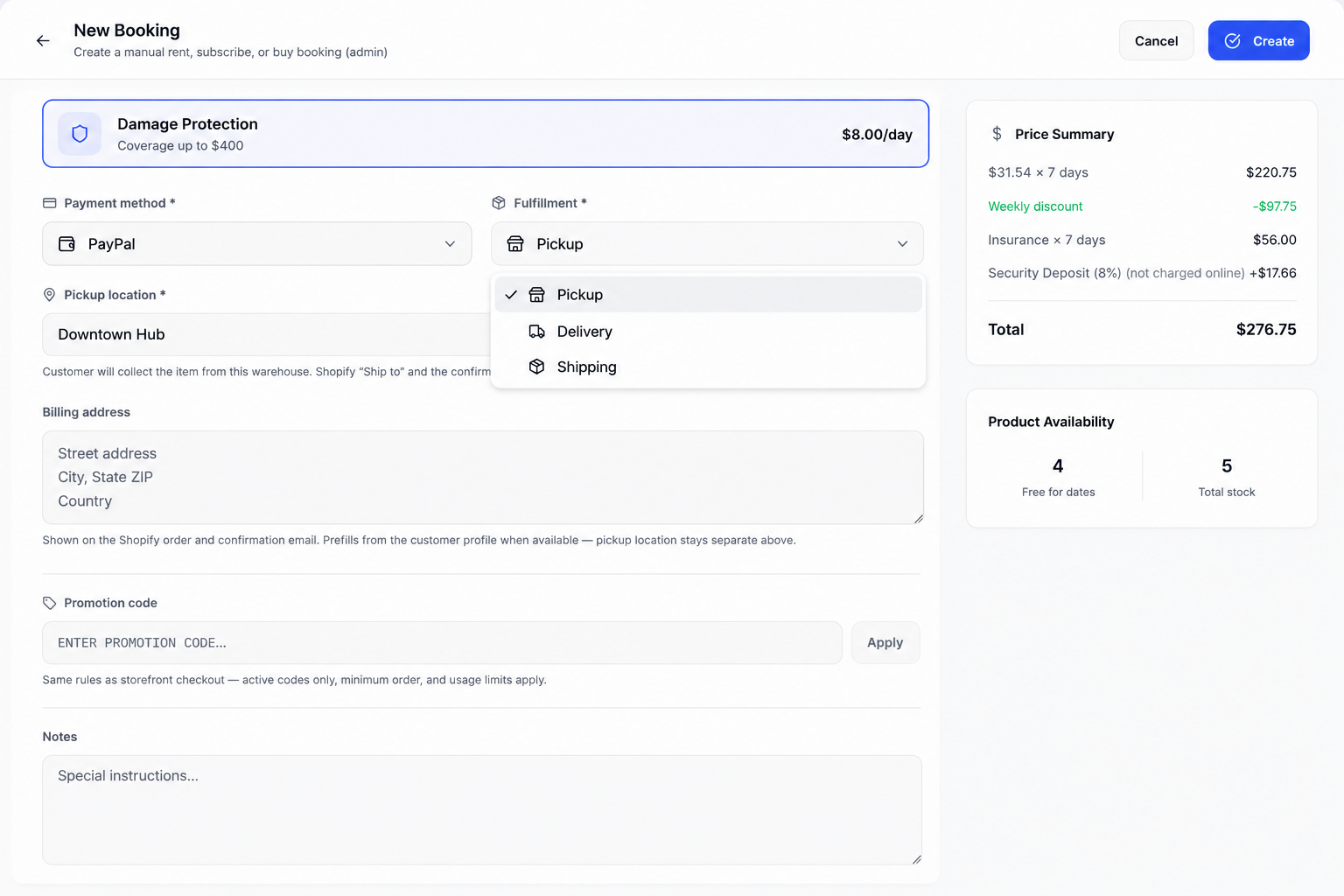
In Bookings → New Booking, the quantity field and Product availability panel reflect the same caps for the selected customer, product, and dates.
Fulfillment
On New Booking (and convert), choose Pickup, Delivery, or Shipping, then set location or billing address for the order and confirmation email.
Inquiries
Quote requests from Inquiry-mode products appear on the Inquiries tab. See Inquiries & quotes.