Promotions
Configure promotion codes for rental checkouts and admin bookings. active codes, minimums, and usage limits.
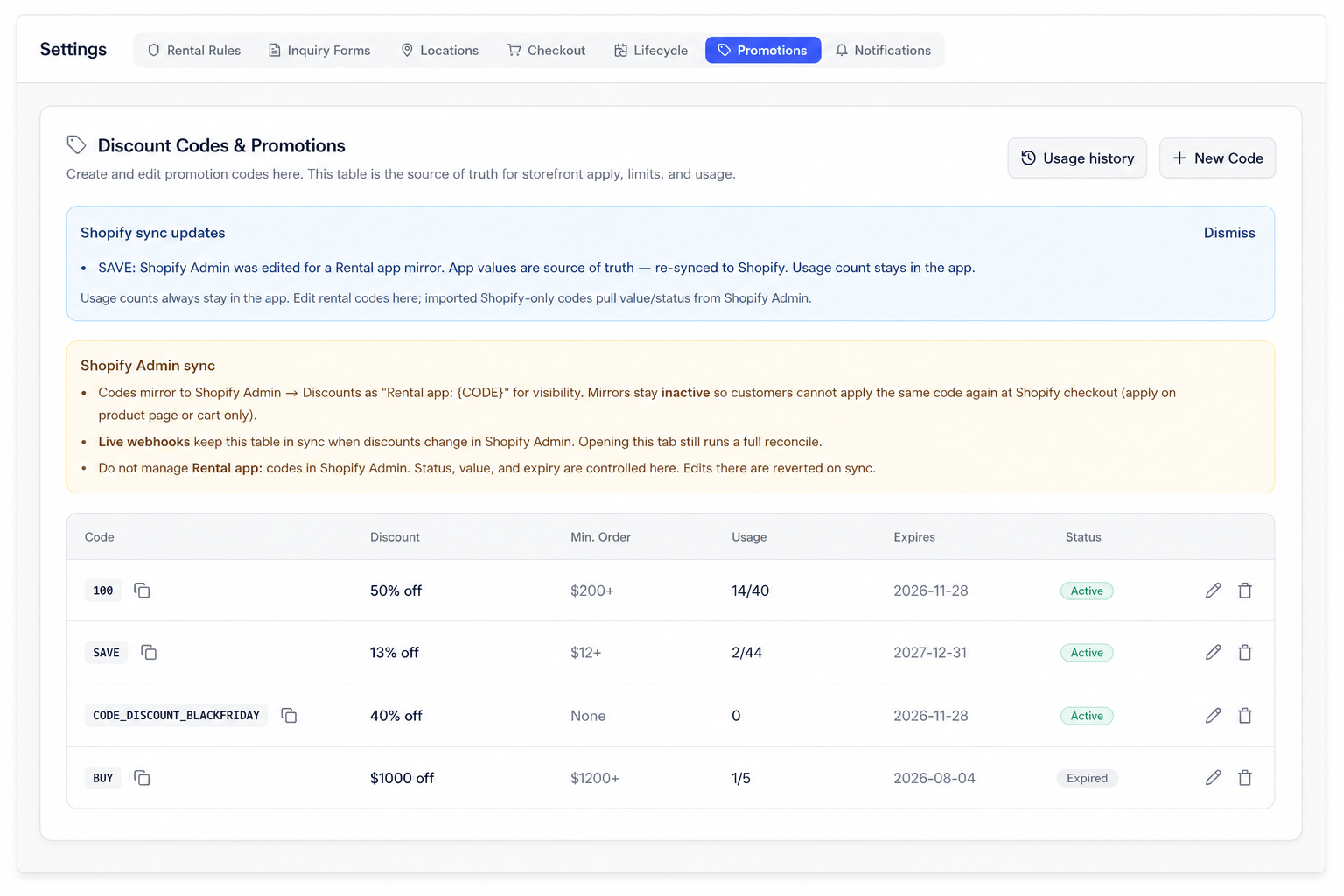
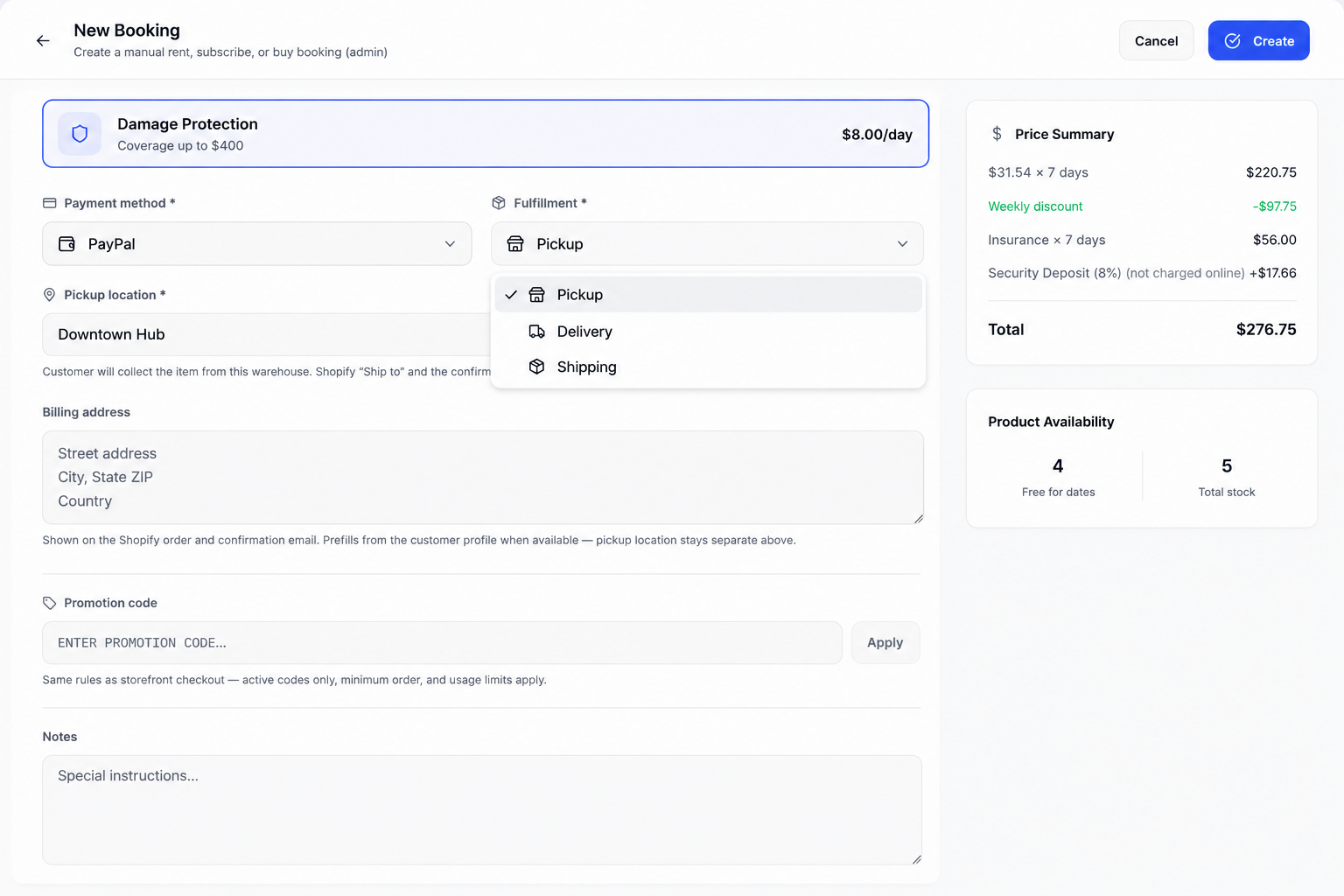
Apply a code
- Storefront. shoppers enter codes on the product page or in the cart.
- Admin. New Booking / convert includes a promotion code field with the same rules.
Double discount prevention
Rental promotions adjust the rental line item price directly before the customer reaches checkout. To prevent customers from applying the same promotion twice at native Shopify checkout:
- Manage codes in Rental Suite only: Create and edit promo codes in Settings → Promotions. The app automatically creates inactive mirrors in Shopify Admin → Discounts (prefixed with
Rental app:) for sales tracking. Keep these inactive so Shopify's native checkout box rejects duplicate entries. - Turn on Rental cart guard: Ensure the Rental cart guard app embed is enabled in your live theme under Online Store → Themes → Customize → App embeds (as listed on the Getting started checklist). The cart guard locks line prices, syncs quantities, and validates promo terms prior to checkout.
(Note: The Checkout Editor under Settings → Checkout → Customize is used for subscription post-checkout and account blocks, not promotion cart embeds.)