Inquiries & quotes
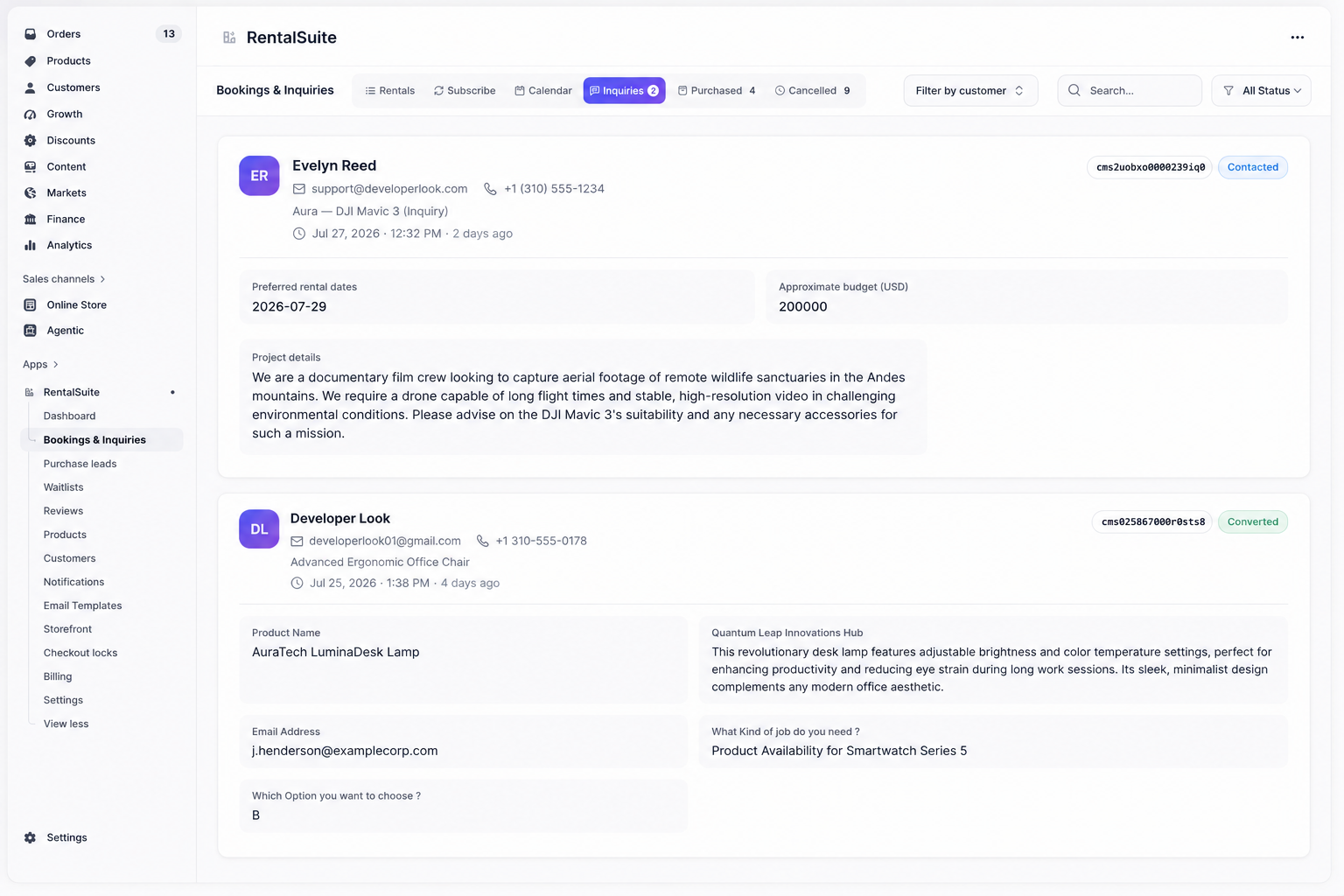
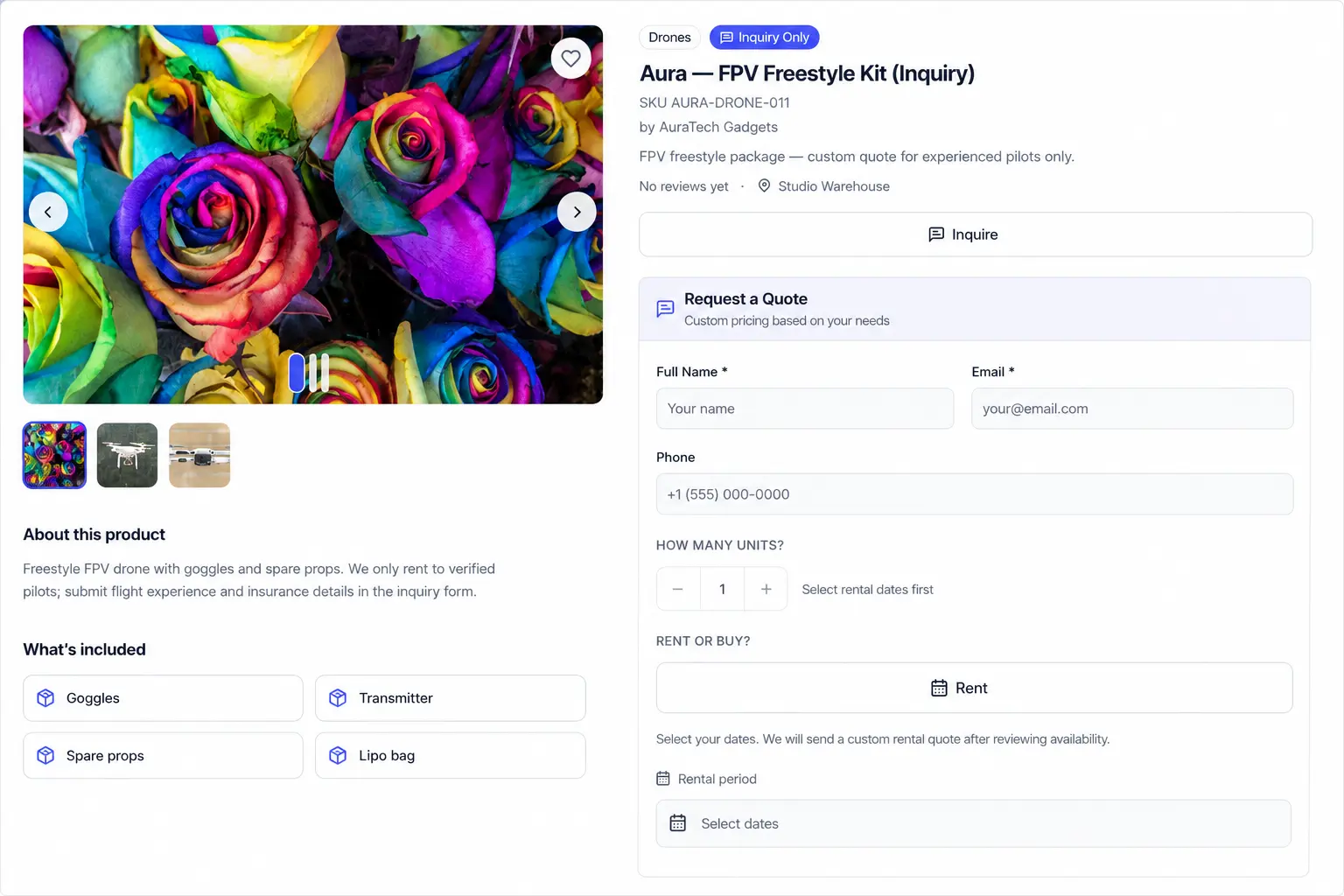
When a product has Inquiry mode enabled, shoppers request a quote instead of instant Rent / Buy checkout. Those requests land on Bookings → Inquiries.
Storefront quote request
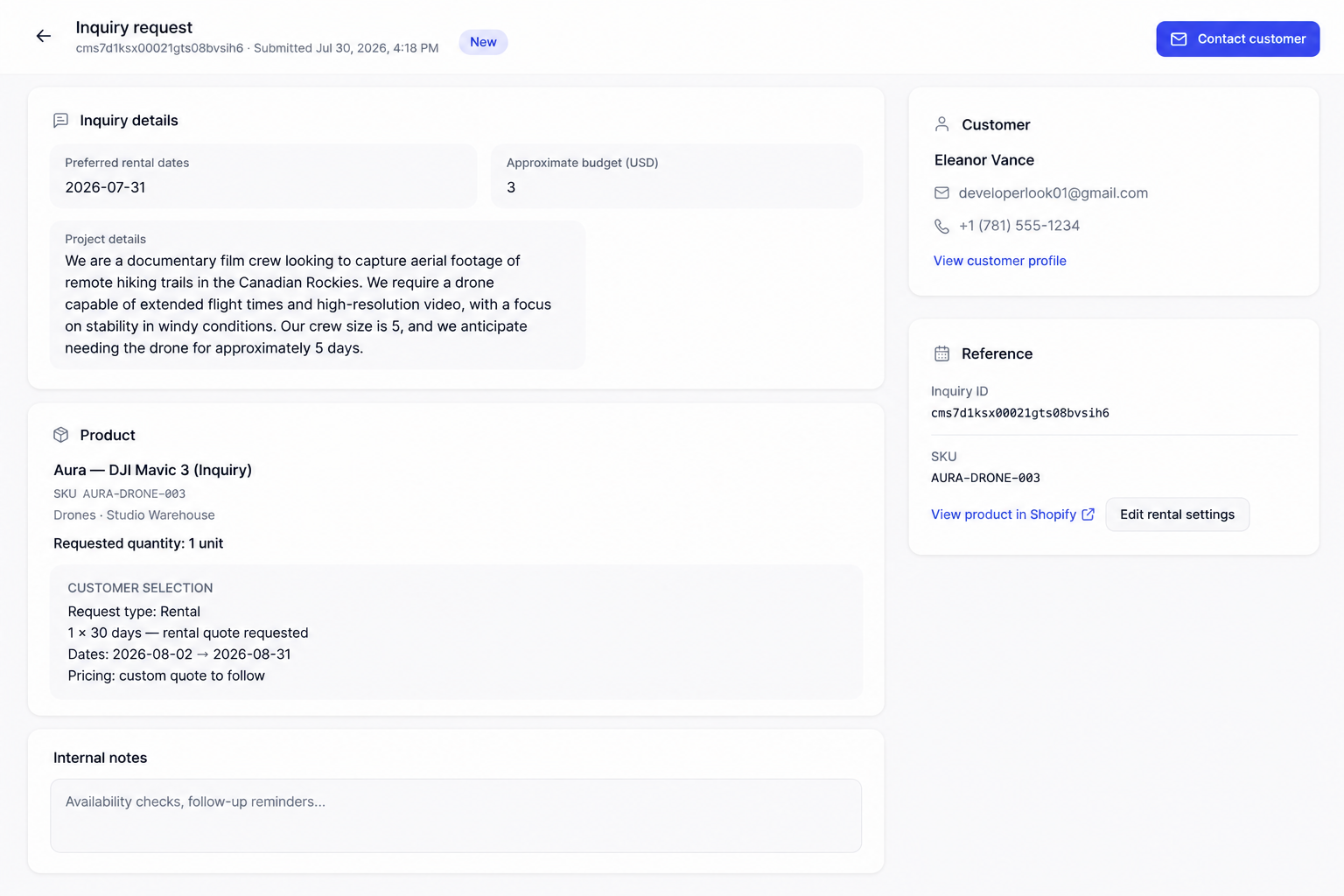
Open an inquiry
Flow
- Customer submits an inquiry from the storefront (Inquiry mode).
- Merchant reviews the request on the Inquiries tab.
- Open Inquiry request detail. answers, product, quantity, dates.
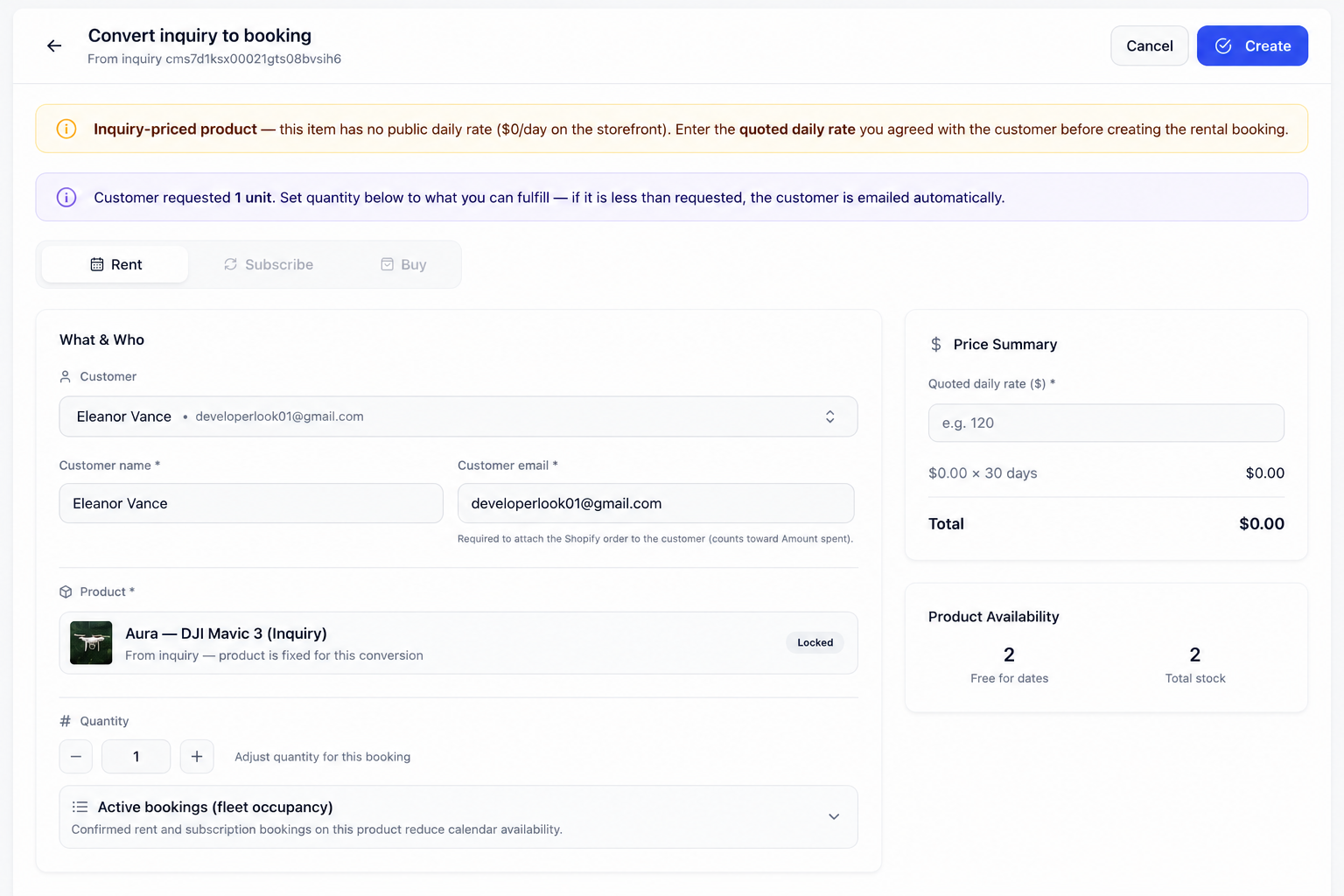
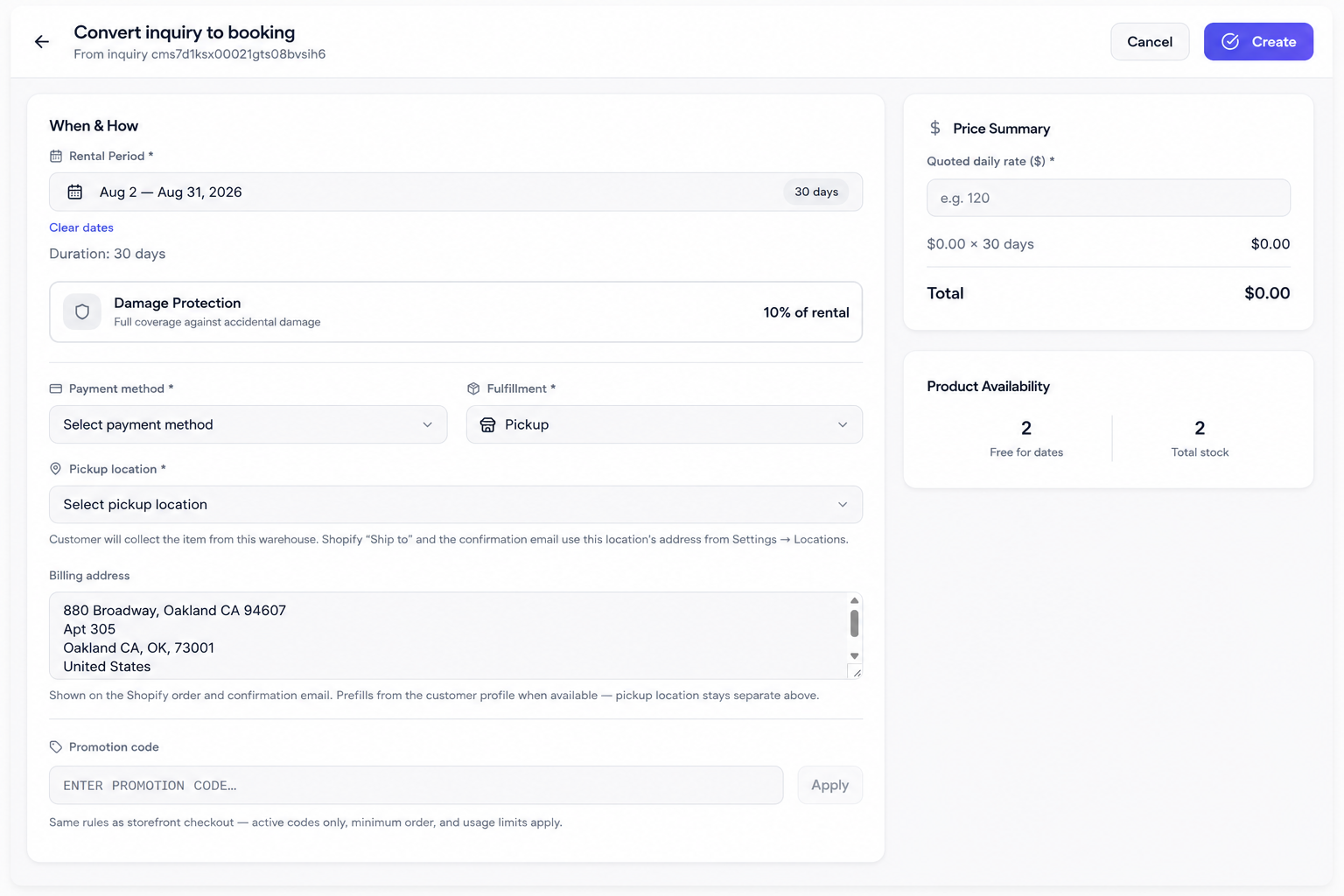
- Use Convert inquiry to booking:
- Customer, locked product, quantity, quoted daily rate
- Rental period, fulfillment, pickup. then Create
Tips
- Configure inquiry form fields under Settings.
- Keep Inquiry mode only on products that should not auto-checkout.
- Convert accepted quotes promptly so calendar occupancy stays honest.