Customers & analytics
Know who rents, what’s performing, and how inquiries convert: customer profiles and dashboard metrics in Rental Suite.
One customer layer for bookings, reviews, and insights.
Customer records
Storefront checkouts, inquiries and New Booking all land on one customer record per shopper. The Dashboard turns the same bookings into revenue, repeat-customer and utilization charts.
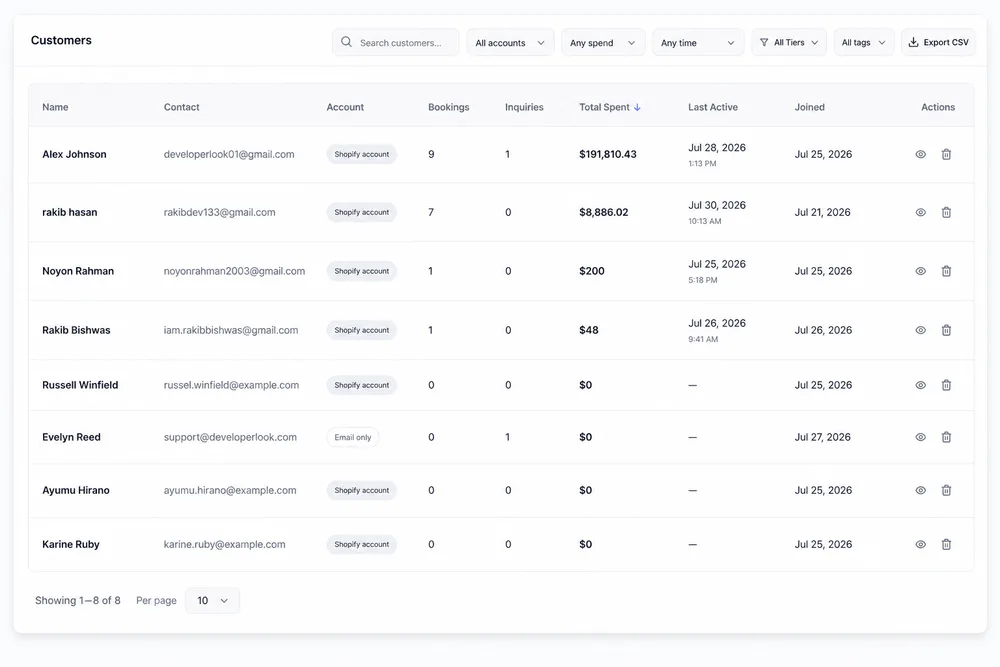
Filter the list by account, spend, last activity, tier or tag, then export it as CSV.
Profiles and analytics
Profiles, orders and fleet analytics
The customer list and profiles sit beside LTV, repeat rate and product performance charts on the Dashboard.
Each row shows contact, account type, bookings, inquiries, total spent and last activity. The same records drive the customer filters on Bookings and Reviews.
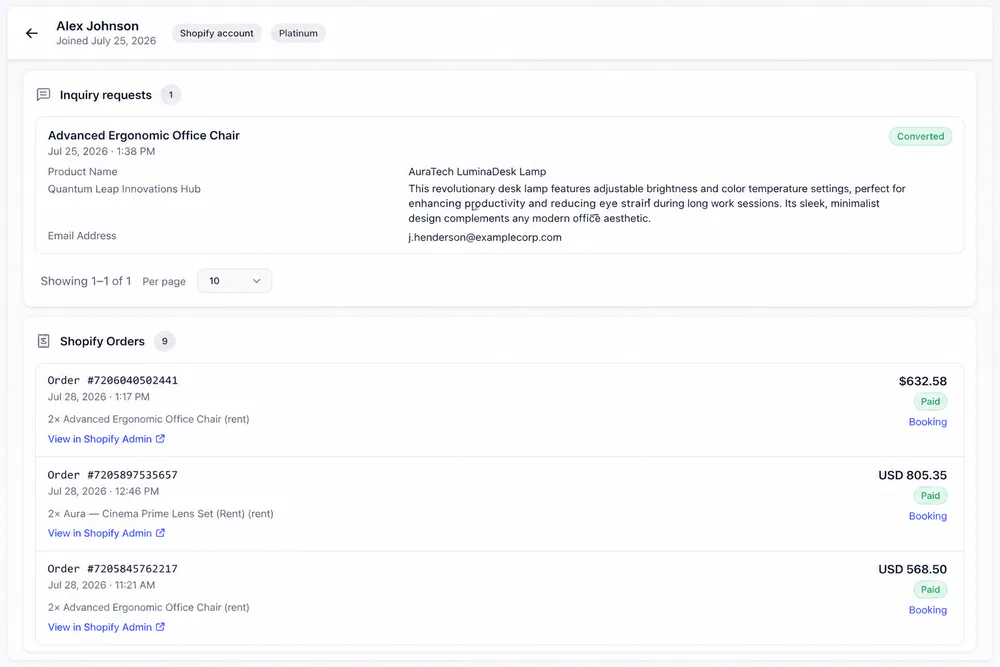
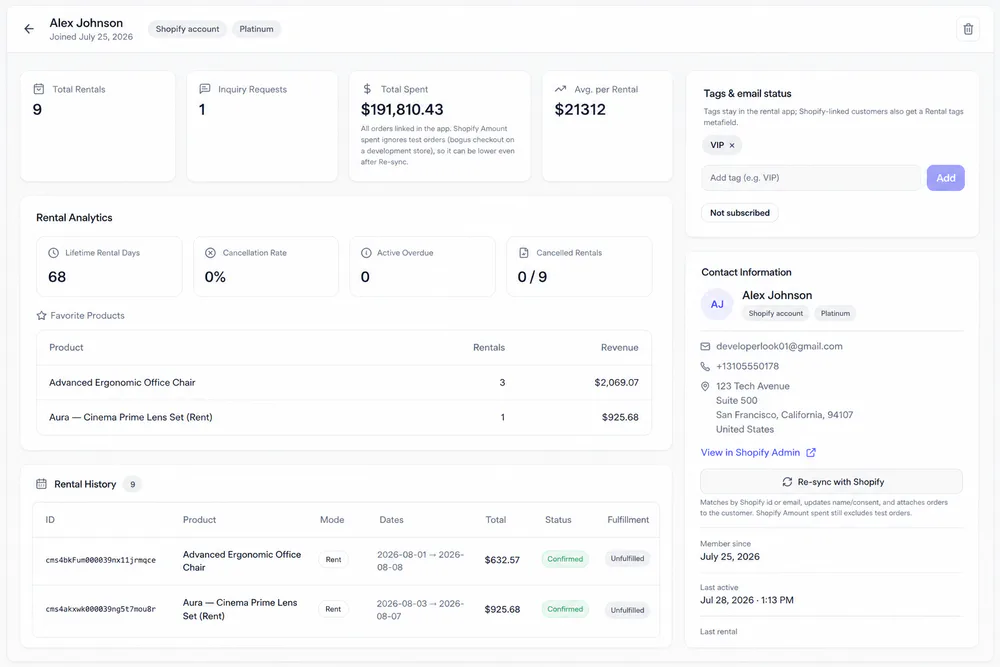
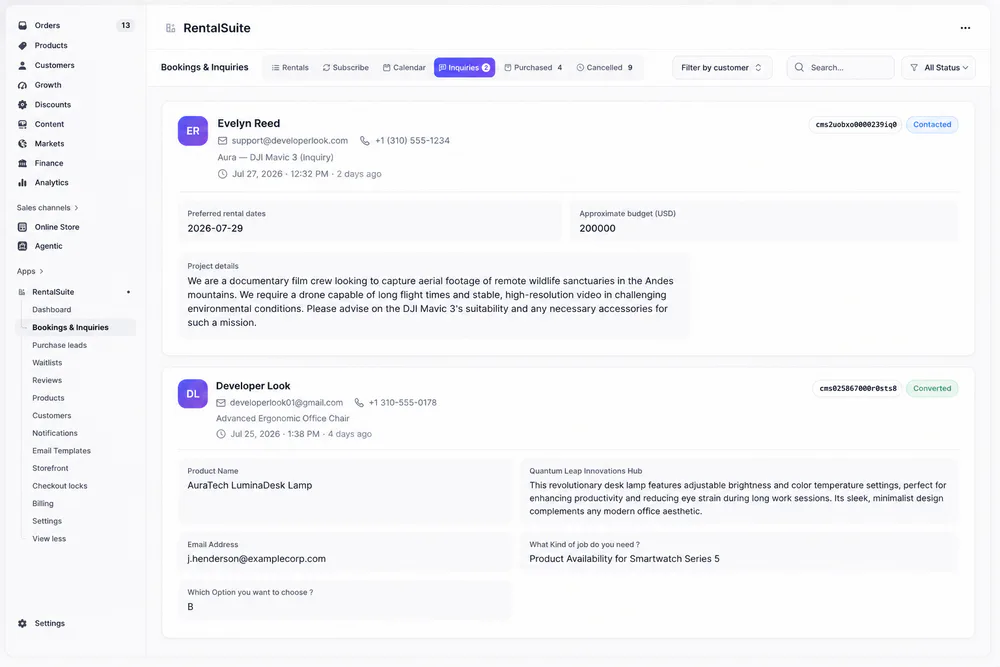
A profile lists the customer's inquiry requests with their status, plus linked Shopify orders with links to the booking and to Shopify Admin.
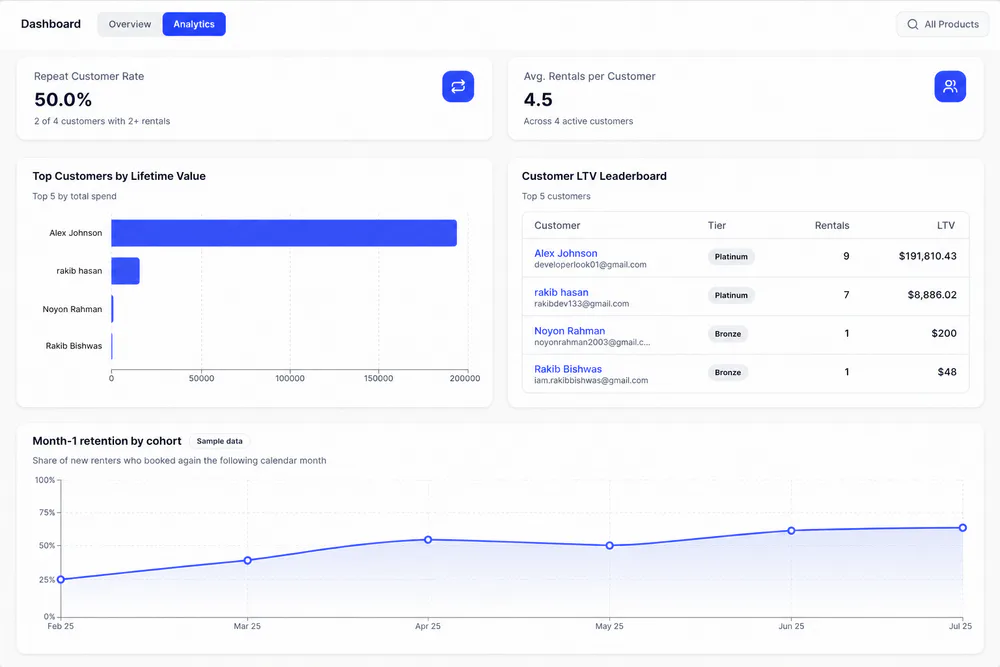
The Analytics tab shows repeat customer rate, rentals per customer, top customers by lifetime value and month-1 retention by cohort.
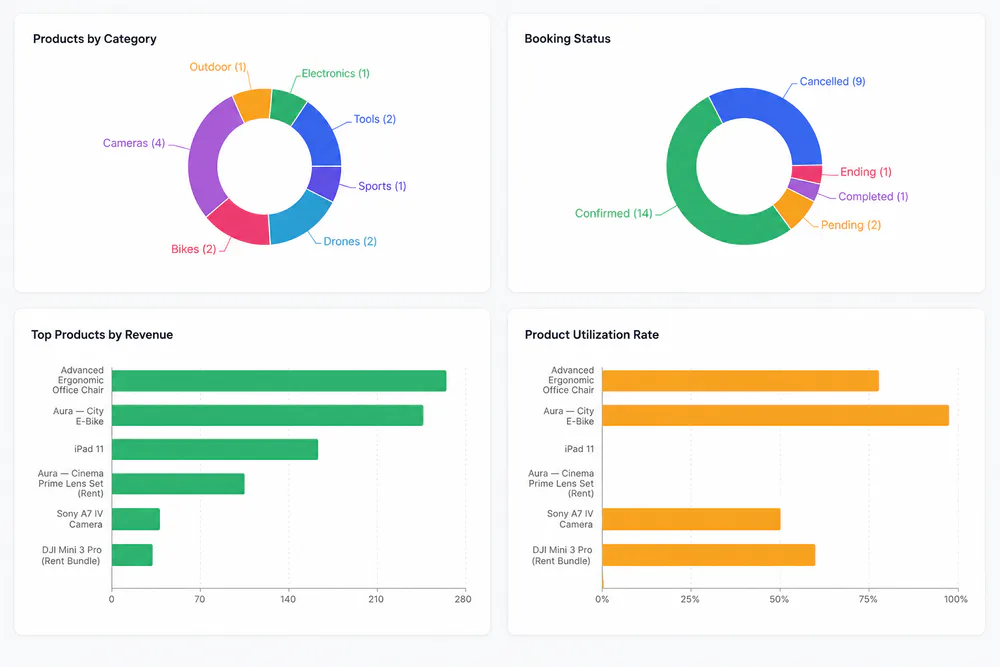
Products by category, booking status, top products by revenue and utilization rate. Filter the charts by product, category or tag.
Customer profile
Everything about a renter on one page
Open a customer for spend, rental analytics, favorite products, history, tags and contact details.
Dashboard
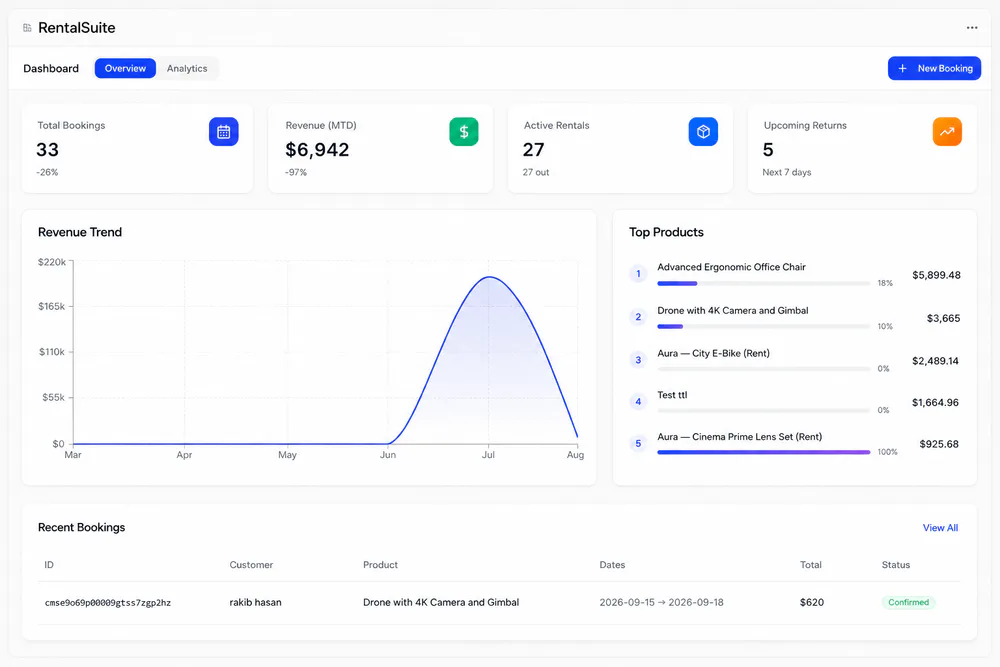
Start the day on the Overview tab
Total bookings, revenue this month, active rentals and returns due in the next 7 days sit above the revenue trend, top products and recent bookings.
Related
Works with the rest of Rental Suite
FAQ
Customers & analytics questions
Common questions about customers and analytics in Rental Suite.
Storefront checkouts, inquiries, and admin New Booking create or match shop customer records.
Yes. Bookings and Reviews support multi-customer filters that resolve by id, email, or Shopify legacy id.
Customer LTV and repeat metrics plus product category, booking status, revenue, and utilization charts, all in Rental Suite.
The Rental Suite dashboard reflects bookings and revenue stored for your shop. Refresh after new orders settle.
Get started
Start taking rentals on Shopify today
Install Rental Suite, link your products and publish the rental block. Your first 20 rental bookings each month are free.
Your first hour
- Link a productProducts
- Set day, week and month ratesPricing
- Publish the rental blockTheme editor
- Take your first bookingBookings