Inquiries & quotes for rentals
Capture quote requests from Inquiry-mode products, review them in Bookings, and convert accepted quotes into rentals with Rental Suite.
Quote pipeline beside rentals, not a separate disconnected inbox.
Quote requests
Inquiry-priced products collect quote requests instead of checkout. Each request lands on the Inquiries tab, moves from New to Contacted, then converts into a booking at the rate you agreed.
Requests sit beside rentals in Bookings & Inquiries, and stock stays accurate when a quote becomes a booking.
Quote to booking
From request to confirmed rental
The storefront quote form, the Inquiries tab, then Convert inquiry to booking in two steps: customer and quote, then dates and fulfillment.
On Inquiry-only products, the Inquire tab shows Request a Quote: name, email, phone, units and rental dates, plus any fields from your inquiry form.
Dates use the same availability calendarExtra fields come from the product's inquiry form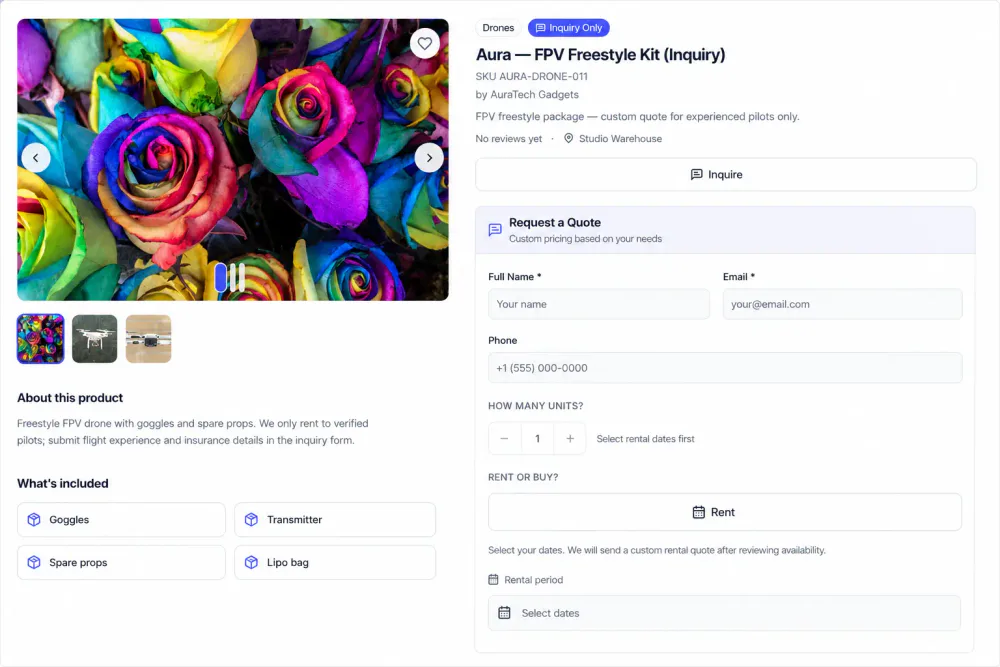
Each card shows the customer, product, submit time, status and answers. Filter by customer or status, then open a request.
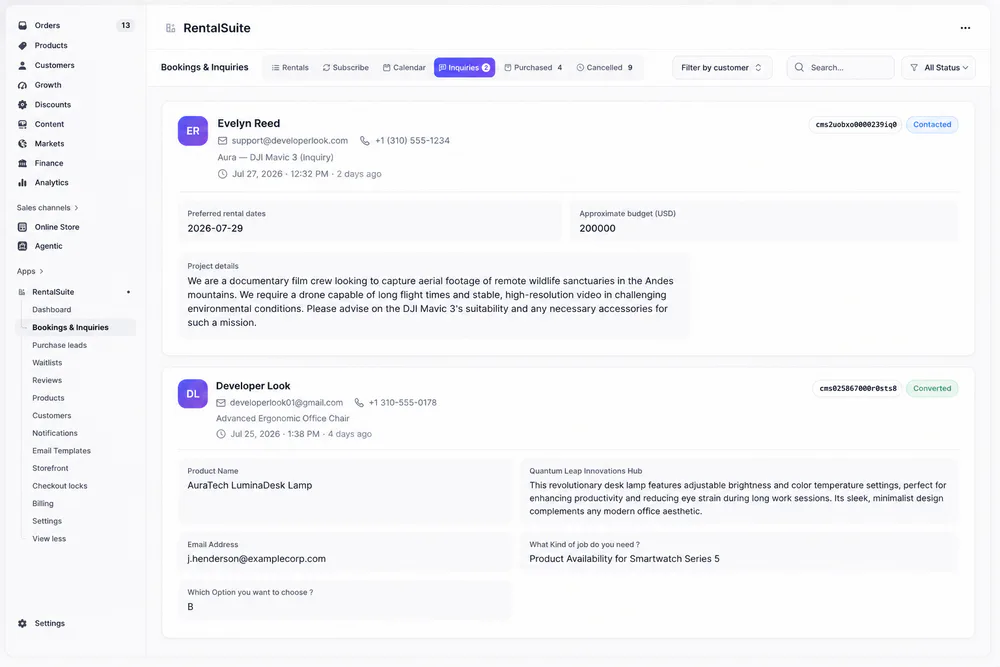
Create booking opens Convert inquiry to booking with the customer filled in and the product locked. Set the quantity you can fulfill and the quoted daily rate.
Book fewer units than requested and the customer is emailed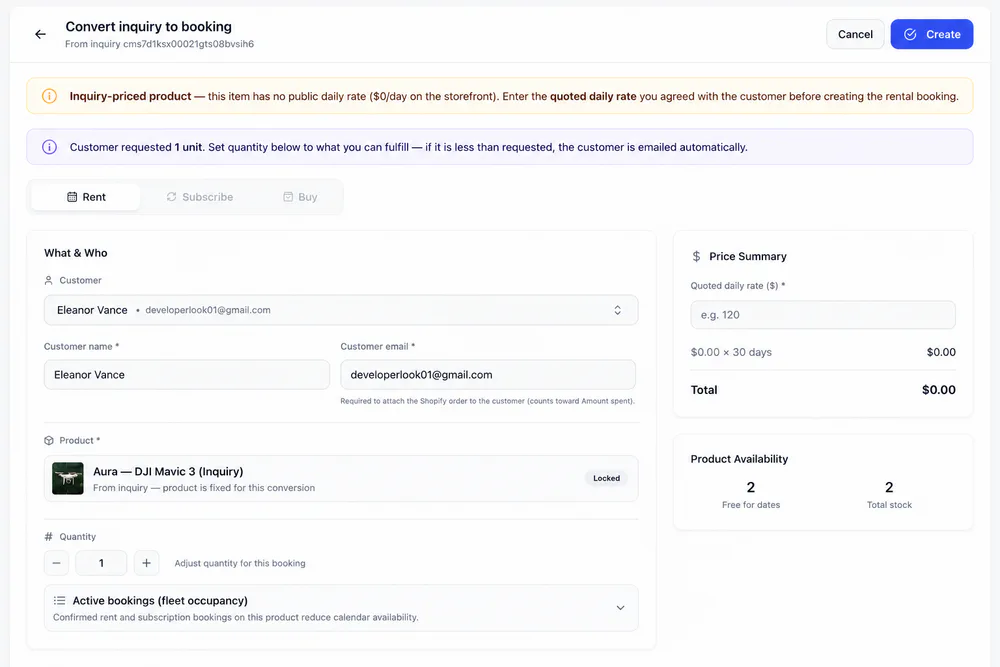
Pick the rental period, Damage Protection, payment method and fulfillment, then Create. Admin bookings are confirmed right away.
Promotion codes follow storefront checkout rules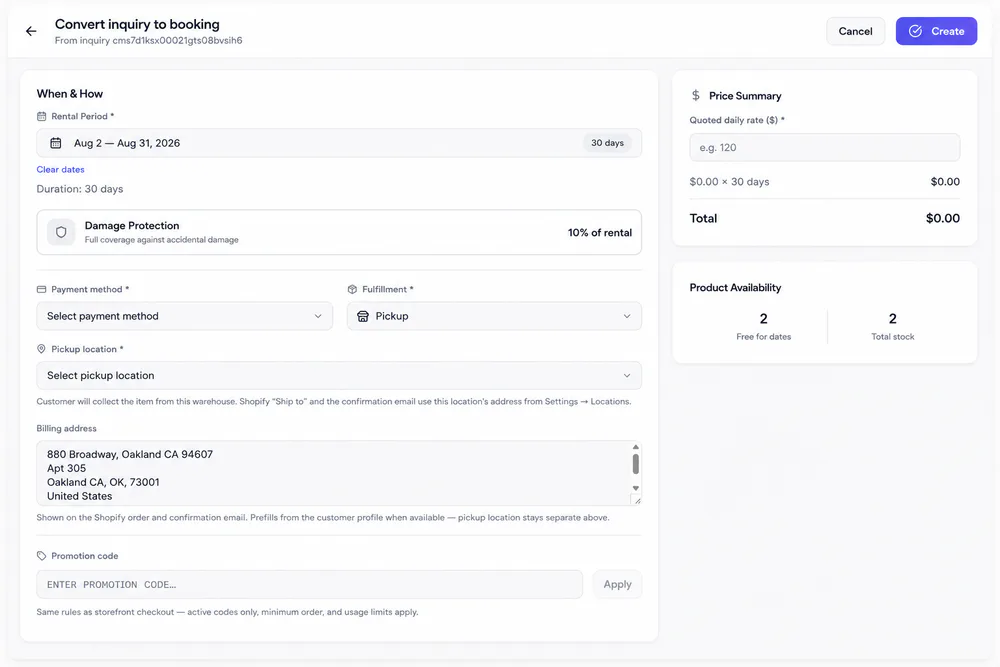
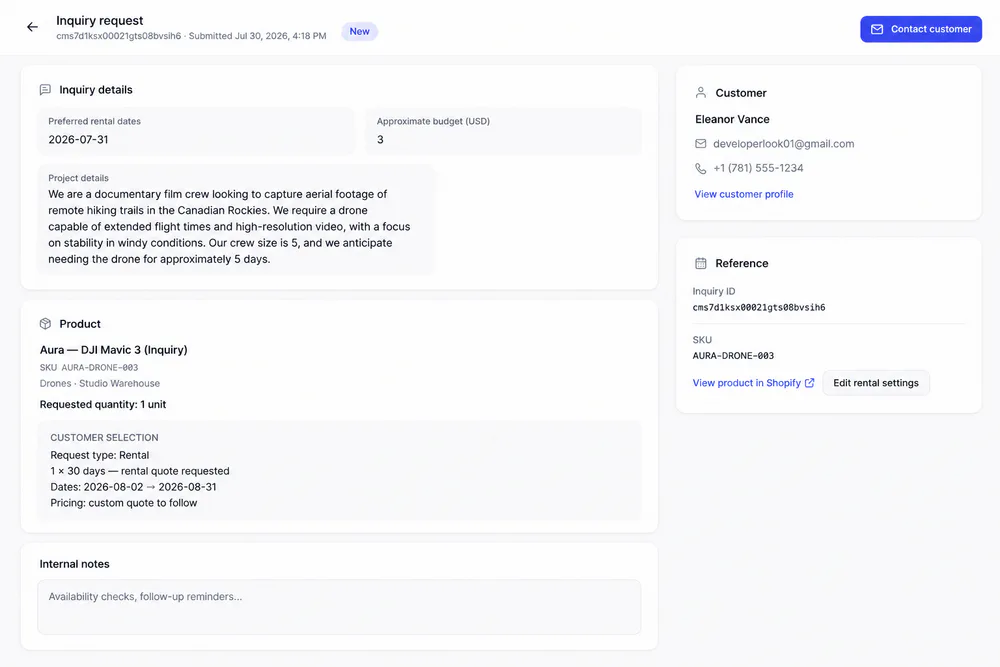
Inquiry request
Everything you need to reply
Open a request from the Inquiries tab to see the shopper's answers, what they chose and how to reach them, with notes for your team.
Lifecycle
From request to booking, who hears what
Each stage has its own status, alert or email. You pick the alerts in Settings and switch emails on or off in Email Templates.
A quote request comes in
A shopper submits the form on an Inquiry-only product. It lands on the Inquiries tab with the status New.
You reply to the customer
Contact customer opens a Gmail draft and marks the request Contacted. Agree on the rate, dates and units by email.
The quote becomes a booking
Create booking opens Convert inquiry to booking. Enter the quoted daily rate, dates and fulfillment, then Create. The request links to its booking.
The rental is confirmed
Admin bookings are confirmed right away and take units from the shared fleet for those dates.
From here the booking gets the same dispatch, return and cancellation emails as any other rental.
Related
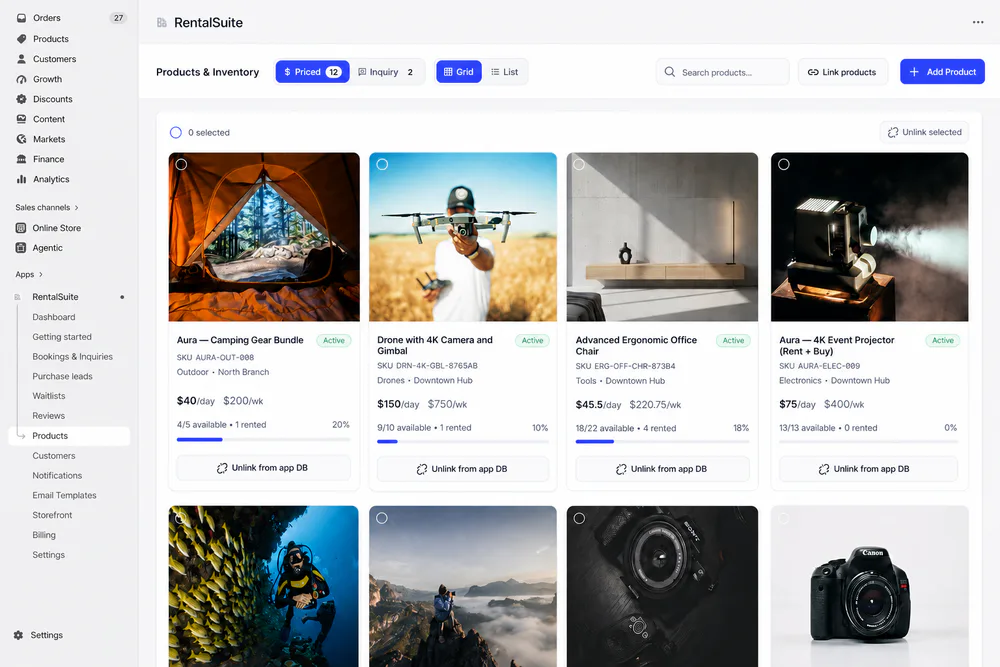
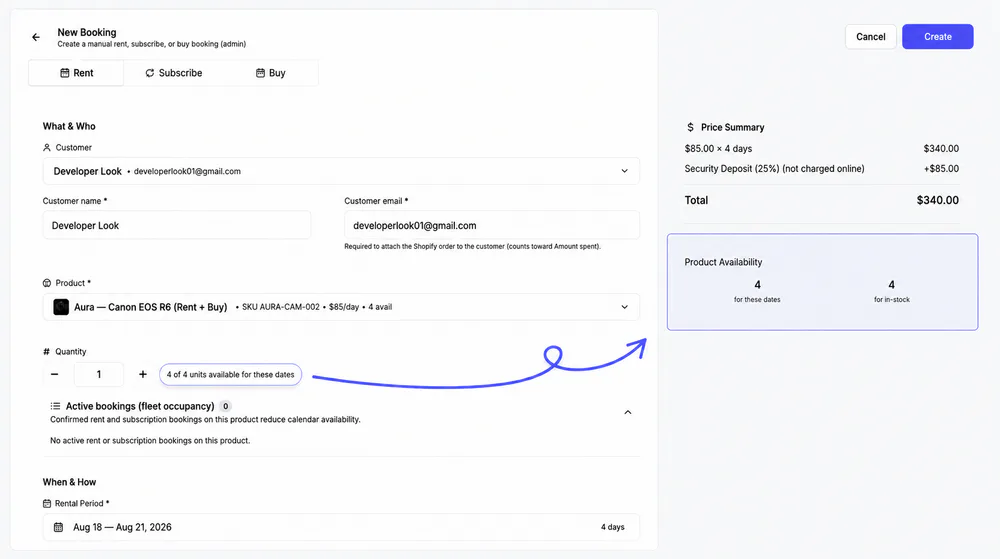
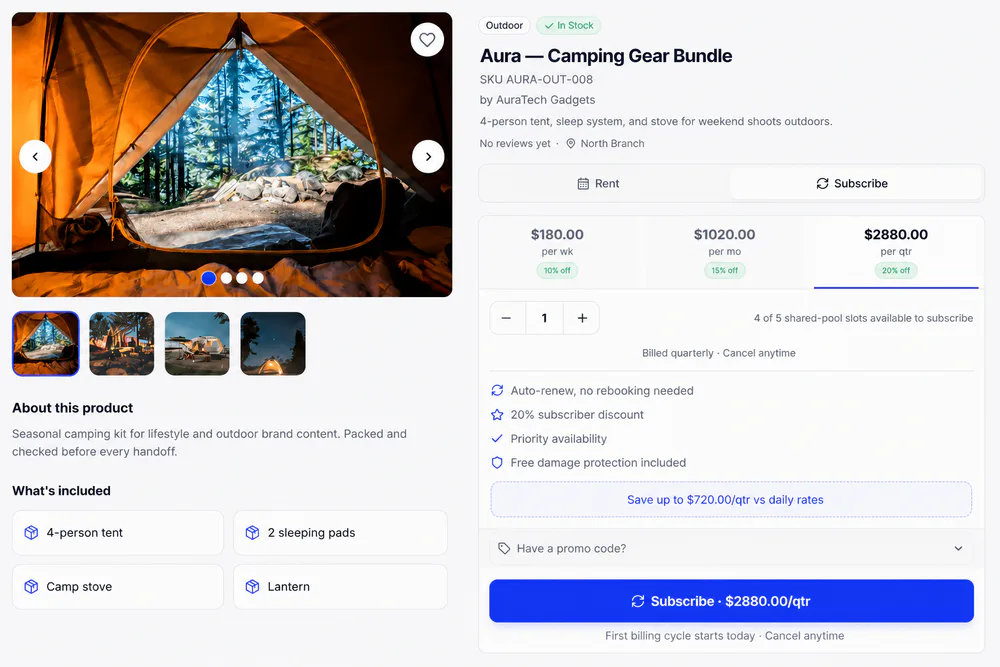
Works with the rest of Rental Suite
FAQ
Inquiries & quotes questions
Common questions about inquiries and quotes in Rental Suite.
In Shopify Admin → Apps → Bookings & Inquiries → Inquiries tab.
No. Inquiry collects a quote request. Rent uses dates and checkout (or New Booking) against live availability.
Open the inquiry and use Convert inquiry to booking. Enter the quoted rate, dates, and fulfillment, then Create so stock stays accurate in Rental Suite.
Yes. Configure inquiry form fields under Settings; product Inquiry mode controls which PDPs collect quotes.
Get started
Start taking rentals on Shopify today
Install Rental Suite, link your products and publish the rental block. Your first 20 rental bookings each month are free.
Your first hour
- Link a productProducts
- Set day, week and month ratesPricing
- Publish the rental blockTheme editor
- Take your first bookingBookings