Products & inventory for rentals
Link Shopify products, set Rent / Buy / Subscribe modes, and manage fleet or serial stock: the catalog backbone of Rental Suite.
One rental profile per catalog product: pricing, stock, and availability in sync with the storefront.
Rental profiles
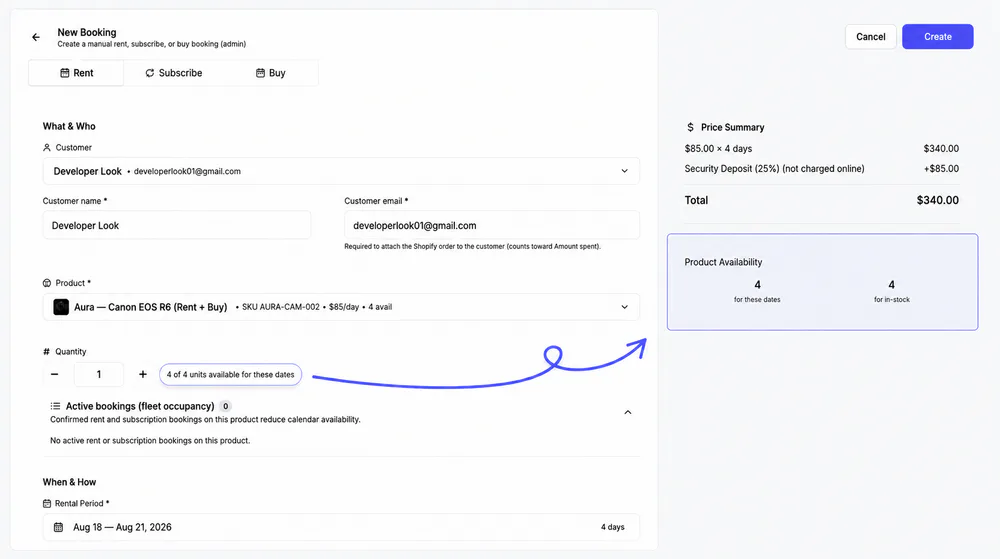
Each linked Shopify product gets a rental profile with modes, rates, stock and date rules in three tabs. The storefront and New Booking both read that one profile.
Merchants and the storefront find each product by its SKU, while Shopify IDs stay internal.
Product setup
Configure each rental profile
Link a catalog product, then work through Details & Pricing, Inventory and Availability & Settings before you save.
Search your catalog by title or SKU, filter by Linked or Not linked, and link the rows you pick. Add Product creates a new one instead.
Linked products join /collections/rentalsUnlink keeps the Shopify product and its history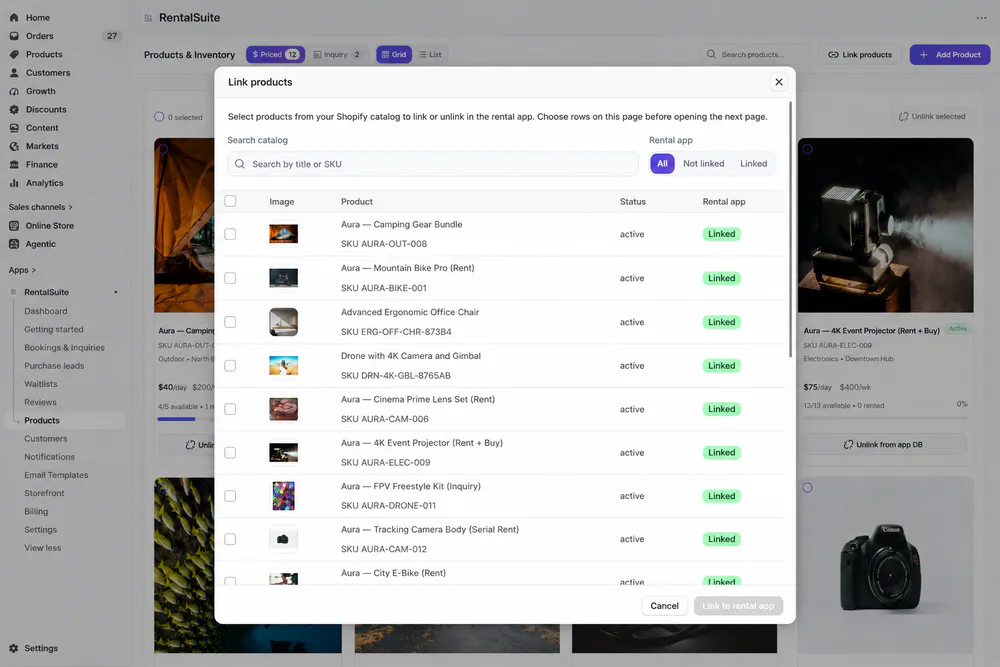
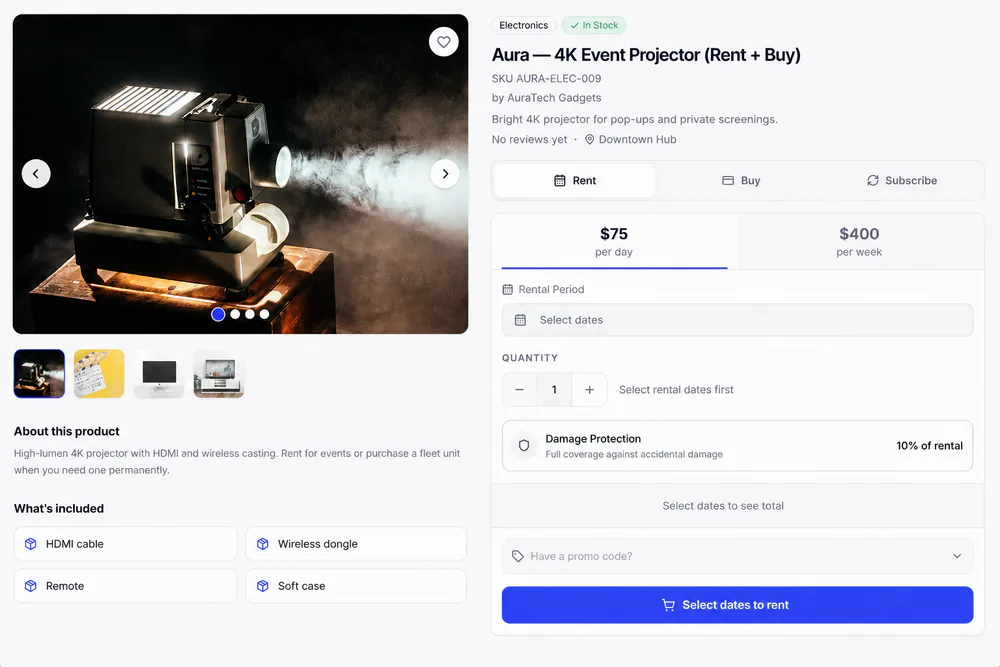
Name, SKU, category, condition and tags, plus a short description under the title and a long one for About this product.
The SKU is suggested from the name and must be uniqueIncluded items show as What's included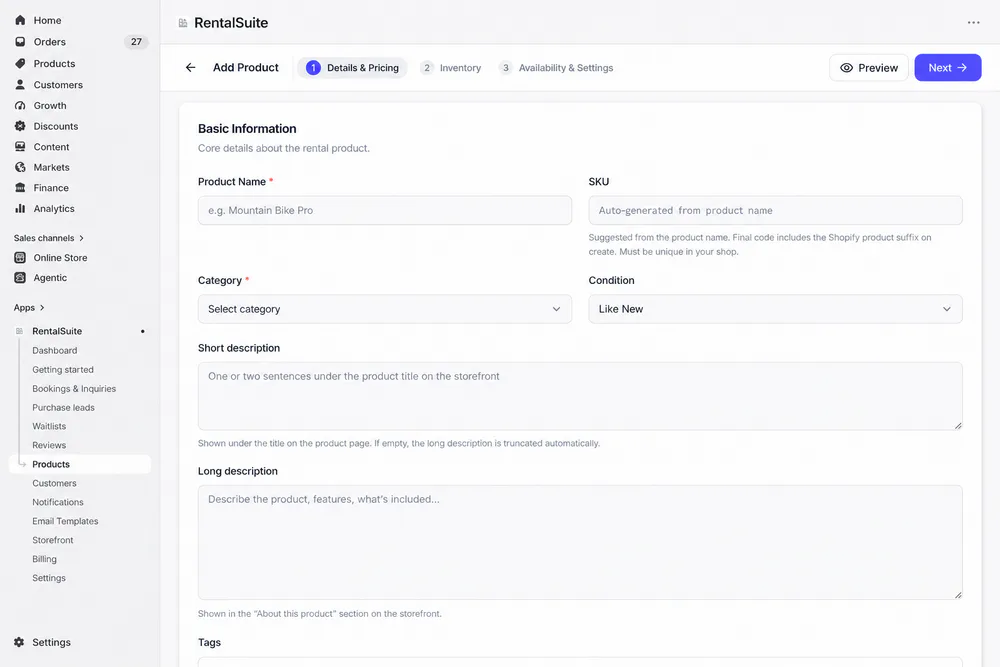
Choose Priced Rental or Inquiry to Rent, set daily, weekly and monthly rates, then turn on purchase or subscription pricing.
Plan prices can follow your rate minus a discount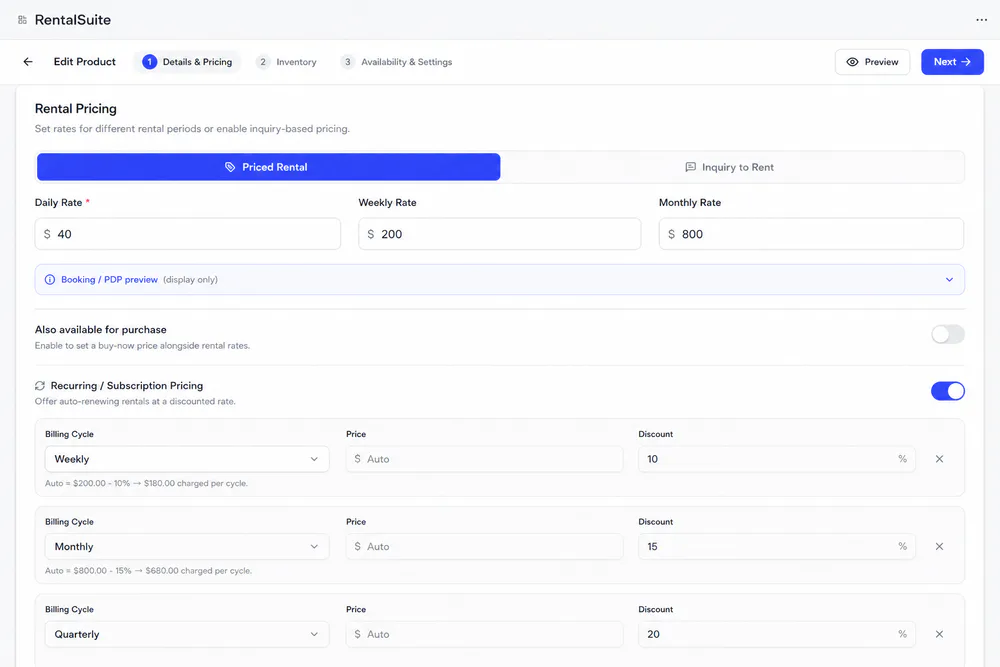
Minimum and maximum days, turnaround before and after each rental, and blocked weekends or public holidays. Rules come from Global or category settings unless you override them.
Turnaround keeps days free for delivery, cleaning and inspection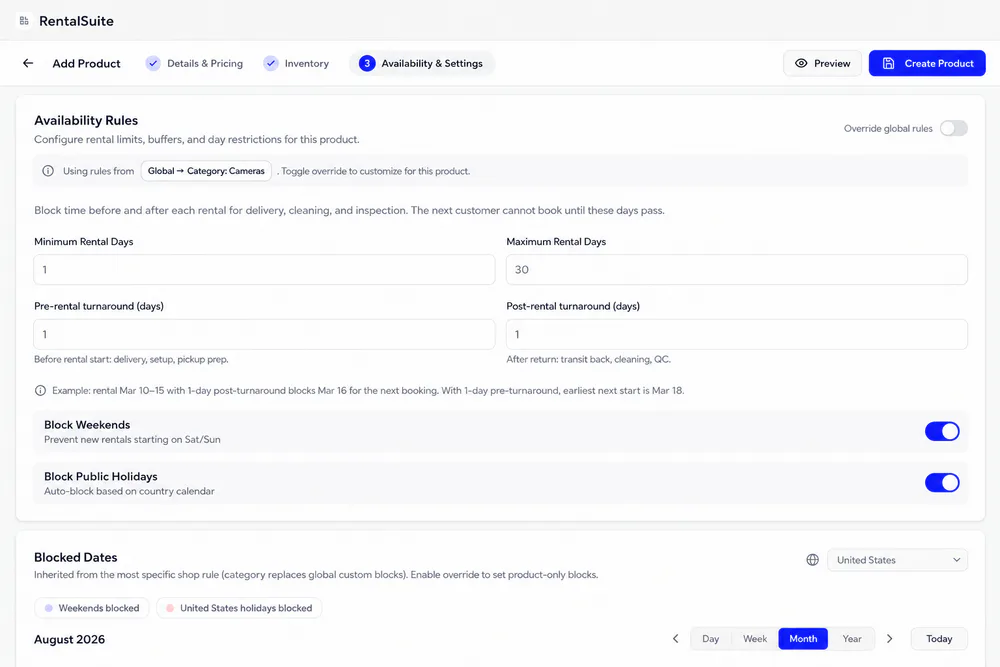
Inventory
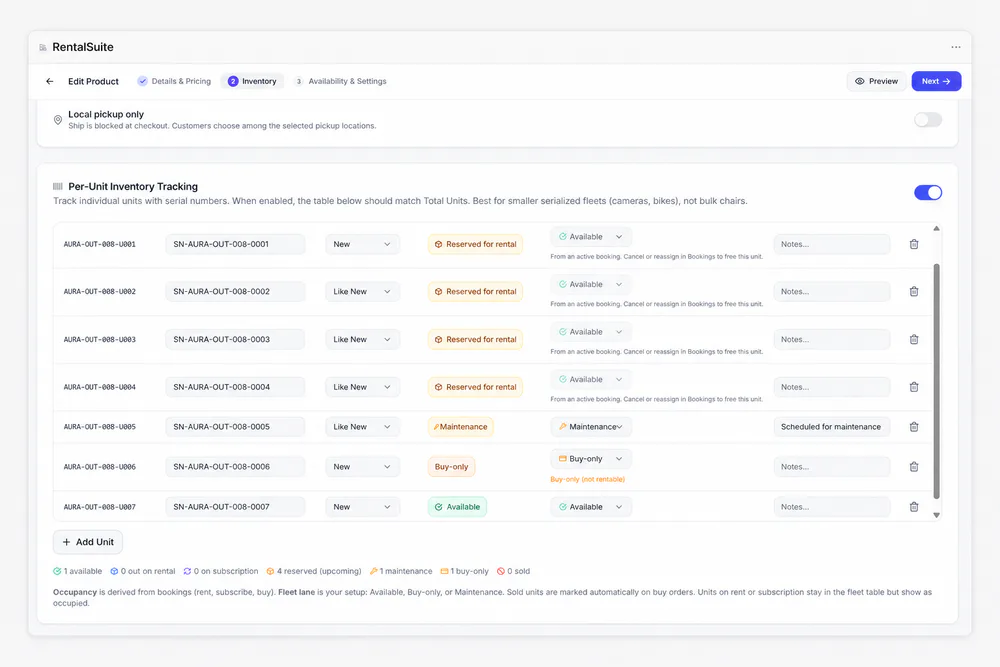
Track every unit, not just a count
Per-unit tracking suits serialized fleets like cameras and bikes. Bookings set each unit's occupancy, and you set its fleet lane.
Products & Inventory
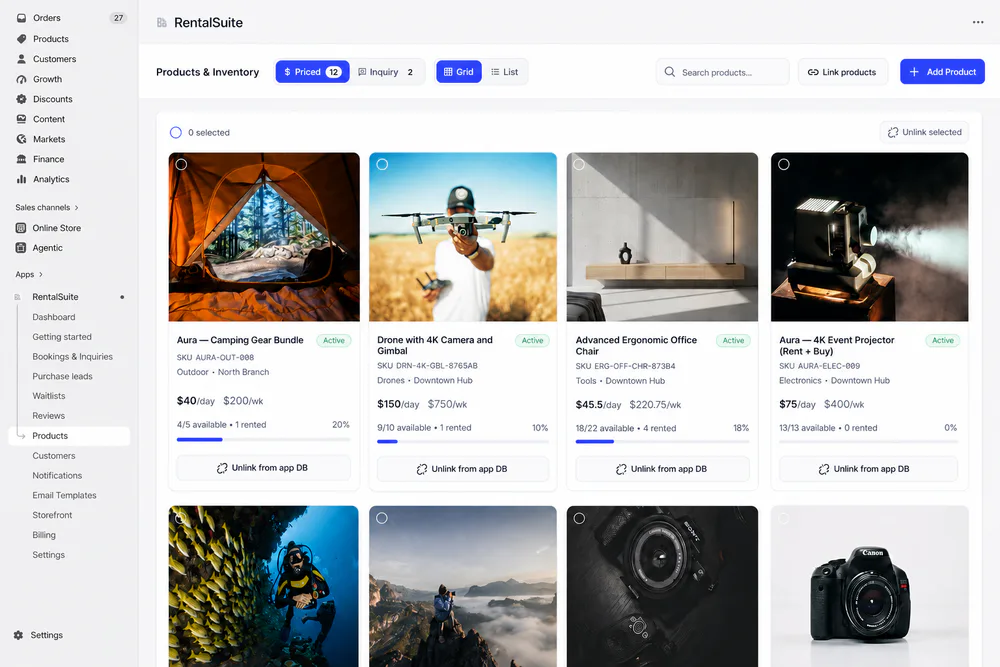
Every product with its stock in view
Cards show each linked product's rates, units available and rented, and utilization. Switch between Priced and Inquiry products, or between Grid and List.
Related
Works with the rest of Rental Suite
FAQ
Products & inventory questions
Common questions about products and inventory in Rental Suite.
Delete permanently removes the product from Shopify and deletes its rental profile from the app database. The product cannot be purchased or rented again. Use Unlink instead if you only want to hide it while keeping the Shopify item.
Unlink hides the product from the rental catalog and storefront, but keeps the Shopify product, availability rules, serials, and booking history intact so you can re-link later.
Yes. Shared fleet inventory is the default. Optional buy-only serial lanes keep sale units separate when you need them.
Day, week, and month rates and modes are stored on the rental profile and mirrored to app metafields for the storefront.
No. Every plan includes unlimited rental products. Plans differ only by how many rental bookings you take each month: Free 20, Standard 200, Growth 500 and Enterprise unlimited. See Billing inside the app.
Get started
Start taking rentals on Shopify today
Install Rental Suite, link your products and publish the rental block. Your first 20 rental bookings each month are free.
Your first hour
- Link a productProducts
- Set day, week and month ratesPricing
- Publish the rental blockTheme editor
- Take your first bookingBookings