Promotions for rentals
Offer codes that work on rental checkouts and admin bookings, without a separate campaign product in Rental Suite.
Rental-aware codes: minimums, limits, and honest totals.
Promotion codes
Create a code once in Settings. Shoppers enter it on the product page or cart, staff add it in New Booking, and the same minimum order, usage limit and expiry rules hold in both places.
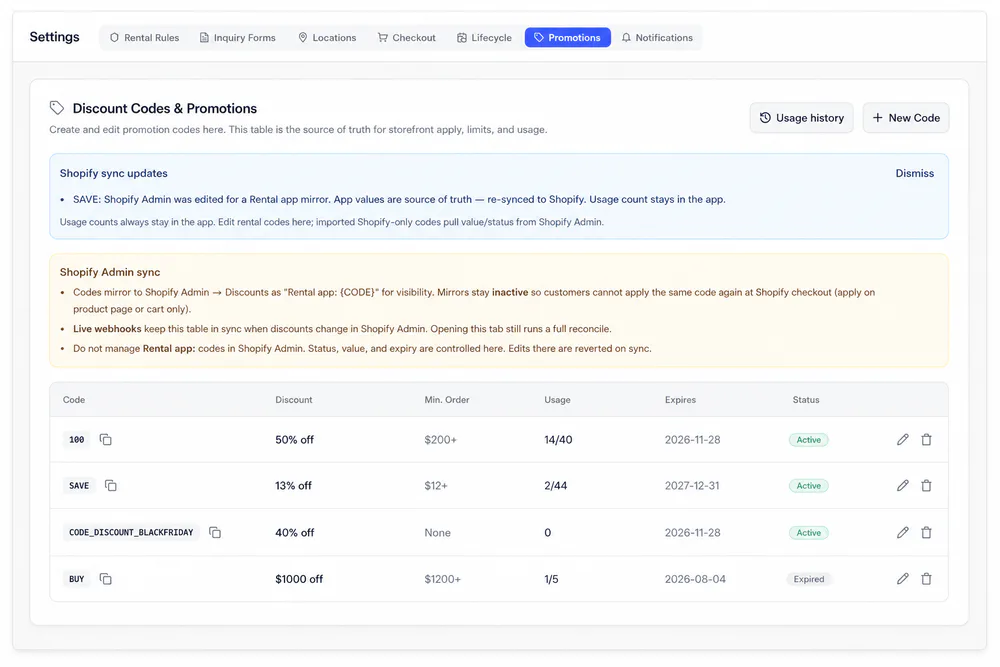
Each code has a percentage or fixed discount, an expiry date, and an optional minimum order and usage limit.
How codes work
Codes that respect rental inventory
Create a code in Settings, apply it on the storefront or in New Booking, and keep one discount per order.
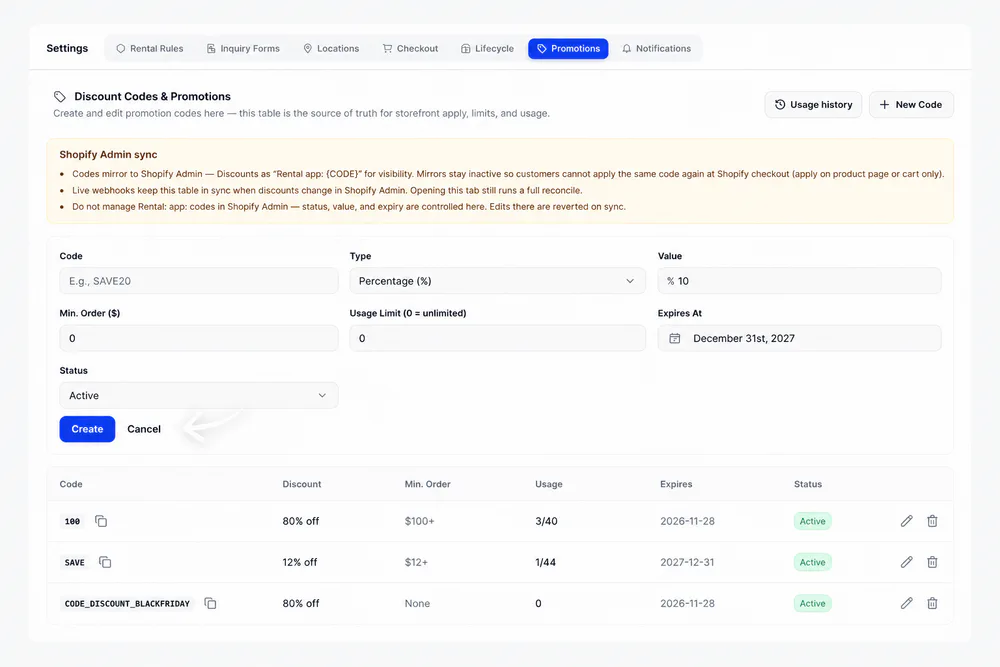
Click New Code and set the code, a percentage or fixed amount, the minimum order, a usage limit and the expiry date. Status can be Active, Expired or Disabled.
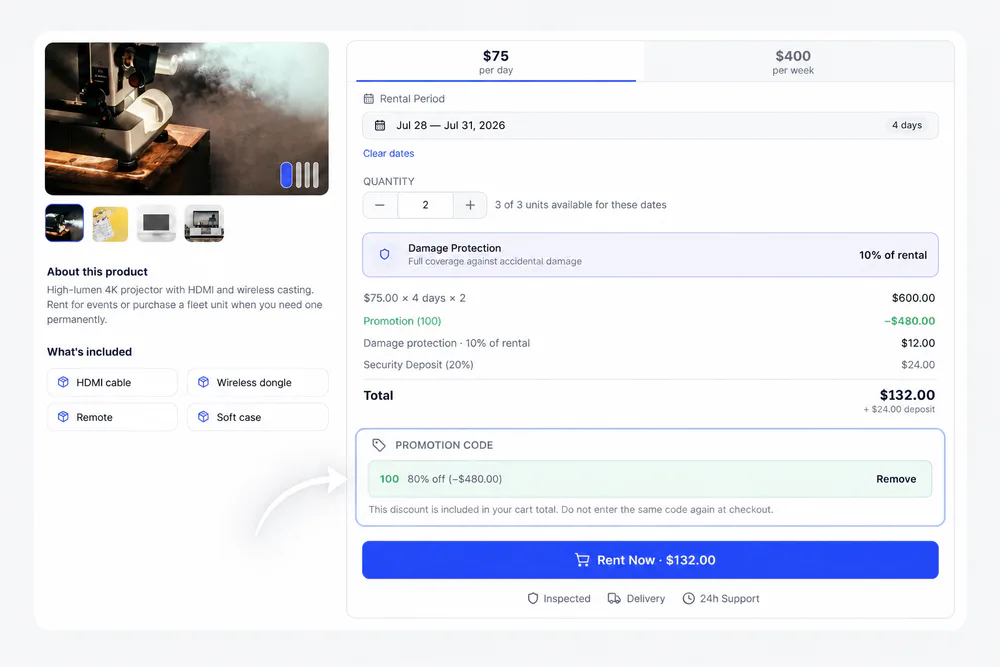
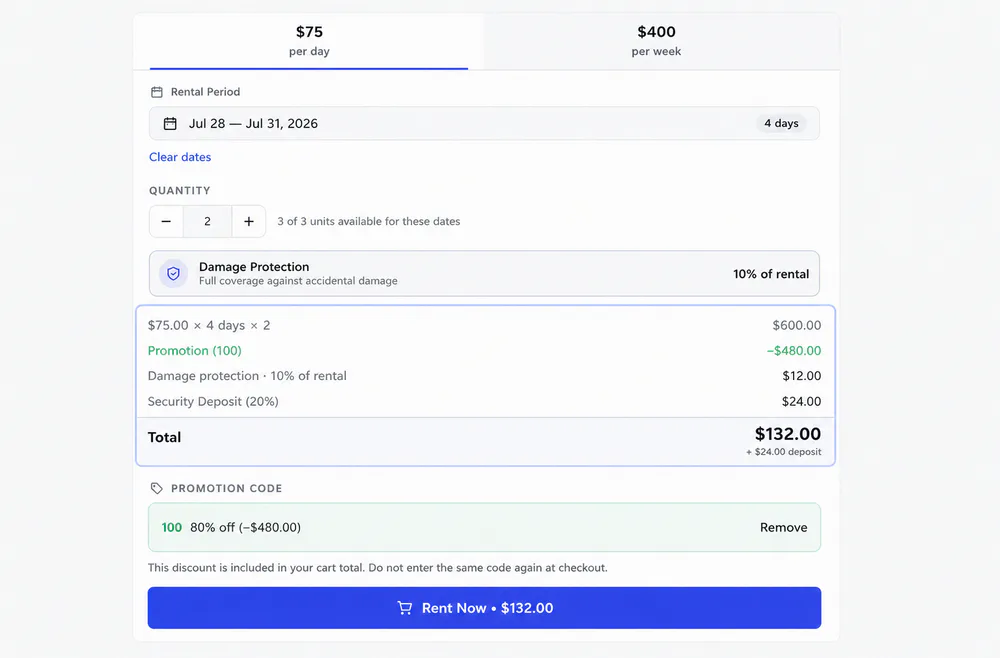
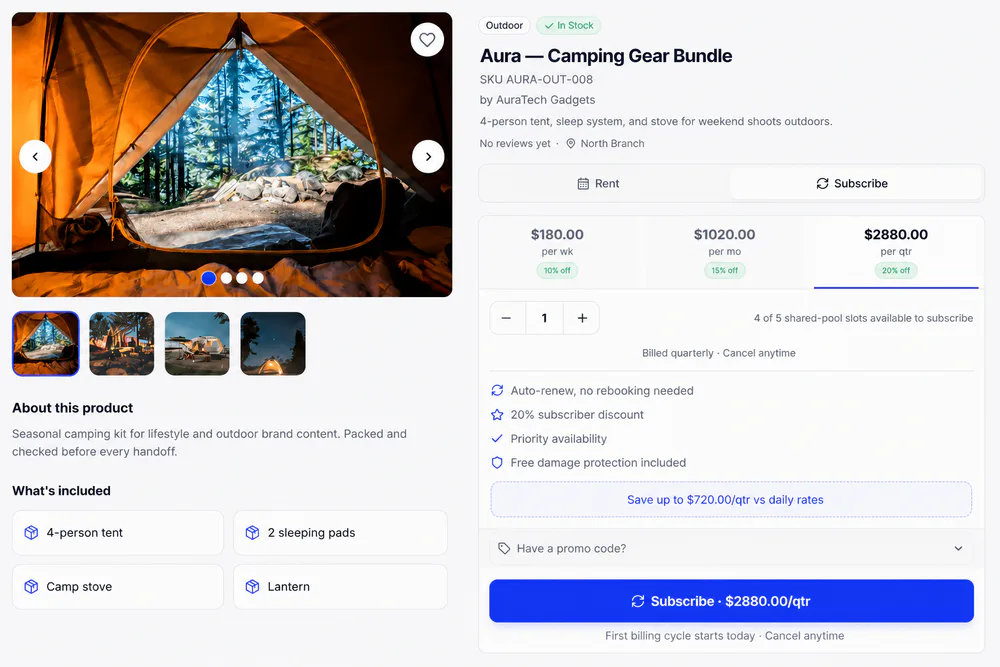
Rent, Buy and Subscribe each have a promotion code field. The discount shows in the price breakdown before the shopper adds to cart.
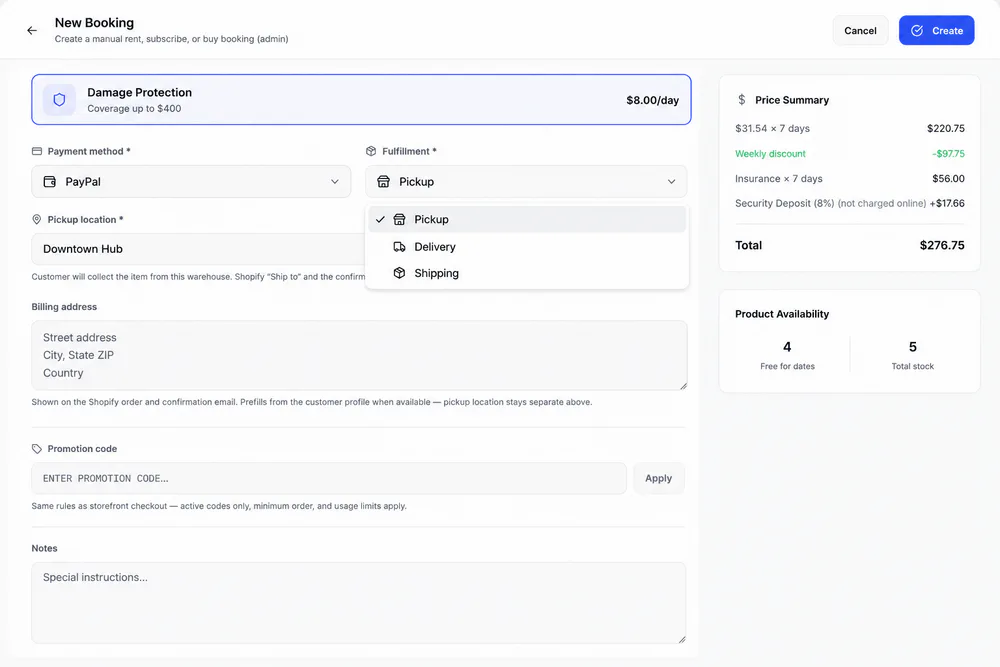
Phone and walk-in bookings get the same Promotion code field, with the same rules as storefront checkout: active codes only, minimum order and usage limits.
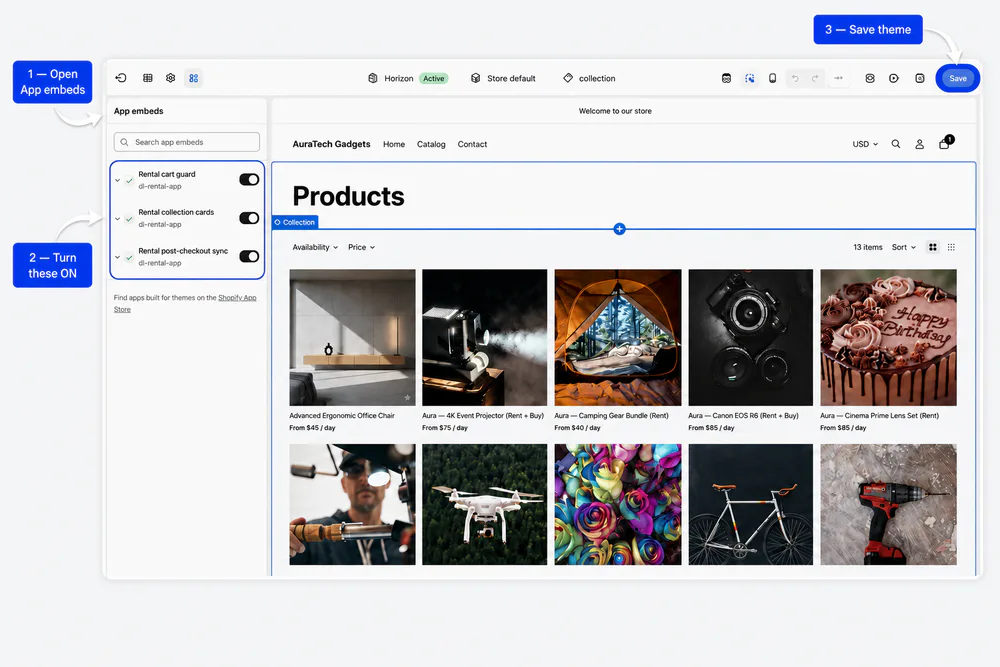
The Rental cart guard app embed locks discounted line prices, syncs quantities and checks the code's terms before checkout.
Promotions tab
One table for codes, limits and usage
The Promotions tab in Settings is the source of truth for storefront apply, limits and usage, and keeps Shopify Admin in sync.
Price breakdown
Same stock rules, clearer totals
The breakdown shows the code's discount before the shopper adds to cart. Damage protection and the deposit are never discounted, and quantity stays capped by the units free for the dates.
Related
Works with the rest of Rental Suite
FAQ
Promotions questions
Common questions about promotions in Rental Suite.
Rental promotions apply discounts directly to the rental line item on the product page and cart. To prevent double discounts, Shopify Admin mirror discounts remain inactive, and the Rental cart guard app embed in Theme Editor keeps cart lines and promo adjustments in sync before checkout.
Rental Suite promotions are configured in the app for rental flows. Use them with the same checkout expectations as storefront rental carts.
Yes. Enter an active promotion code on the booking form when the field is shown.
No. Stock and serial caps still apply after the discount.
Get started
Start taking rentals on Shopify today
Install Rental Suite, link your products and publish the rental block. Your first 20 rental bookings each month are free.
Your first hour
- Link a productProducts
- Set day, week and month ratesPricing
- Publish the rental blockTheme editor
- Take your first bookingBookings