Subscribe rentals for Shopify
Offer recurring rentals on the product page: same inventory rules as Rent, with plans shoppers understand in Rental Suite.
Recurring rentals on the shared fleet: admin create and storefront Subscribe tab.
Subscribe mode
Subscribe adds recurring rentals to the same product as Rent and Buy. Shoppers pick a plan, Shopify bills each cycle, and the units stay off the shared fleet until the subscription ends.
Each plan gets a billing cycle and either a discount off your rental rates or a fixed price per cycle.
Set up and sell
Recurring rentals on one product
Add plans to the product, then take subscriptions on the storefront or create them in New Booking.
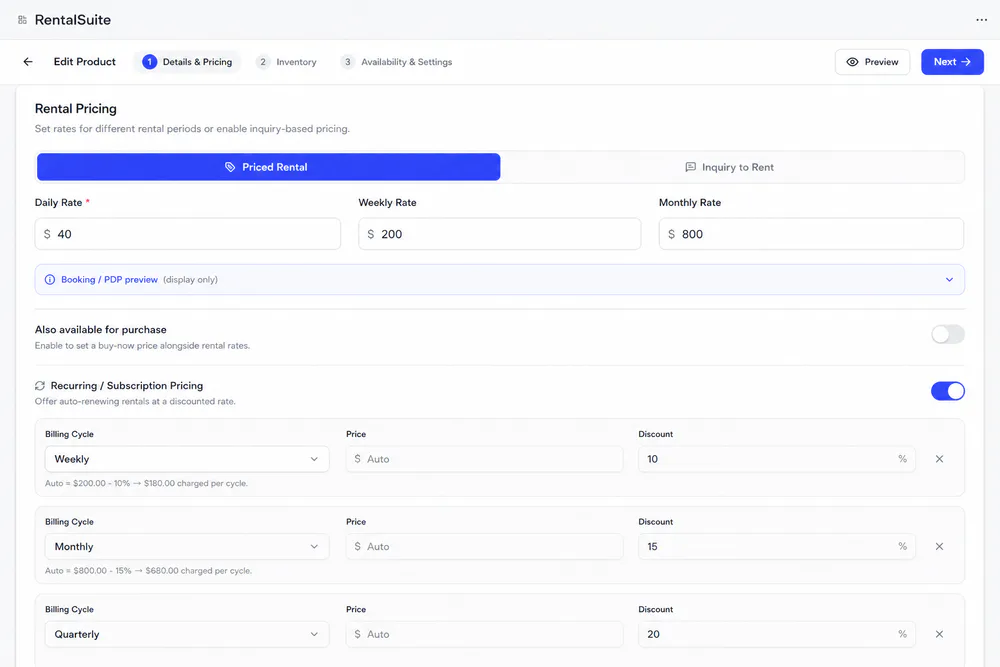
In Details & Pricing, switch on Recurring / Subscription Pricing and add a plan per billing cycle. Leave Price on Auto to charge your rental rate minus the plan discount.
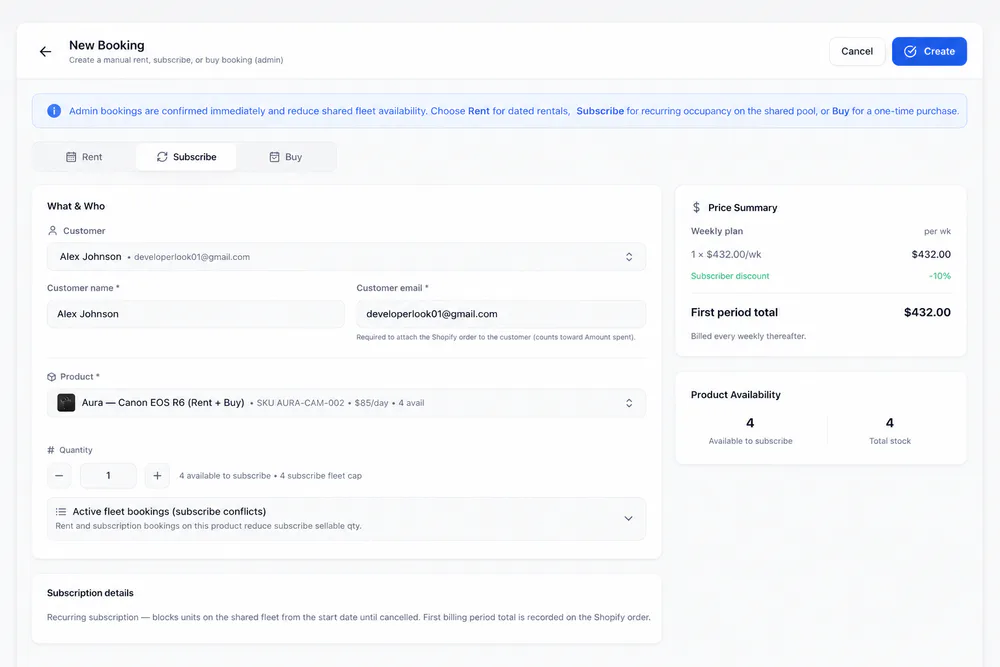
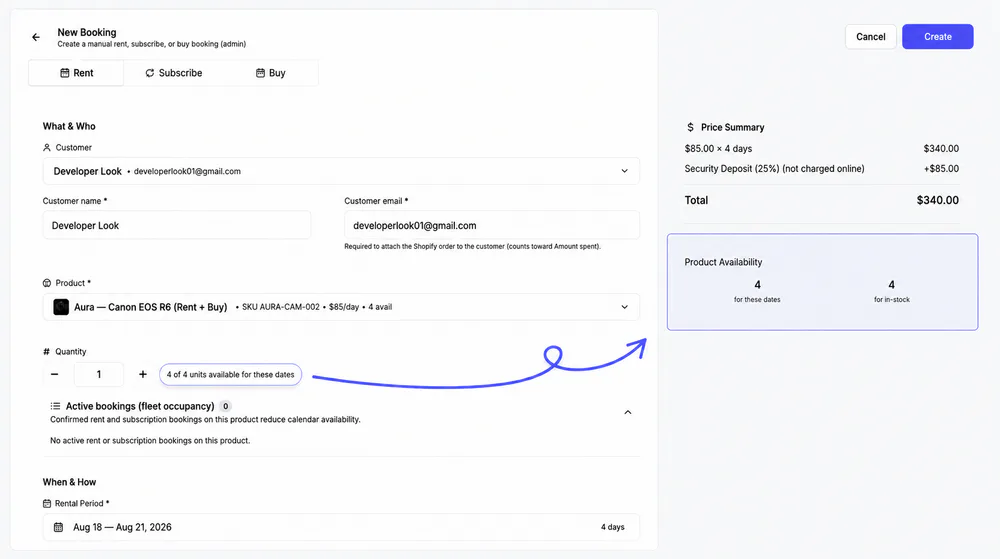
Choose Subscribe, then the customer, product and quantity, capped by the subscribe fleet. Admin bookings are confirmed right away and reduce shared fleet availability.
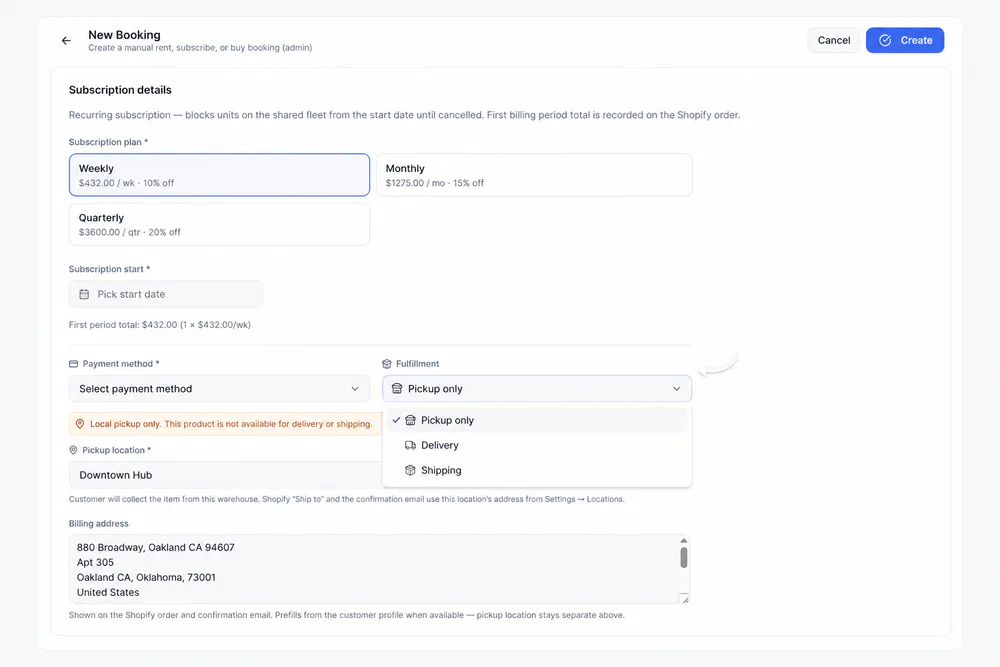
Pick one of the product's plans, the start date, payment method and Pickup, Delivery or Shipping. The first period total is recorded on the Shopify order.
Subscribe tab
What shoppers see before they subscribe
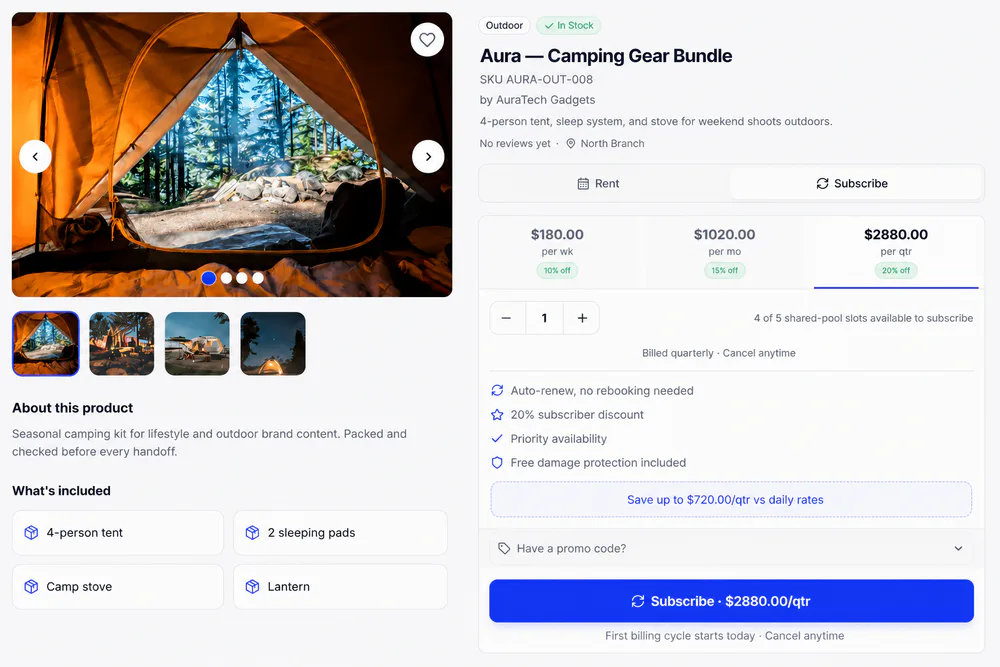
The Rental product page block lists each plan and the units free to subscribe, using the same fleet cap as New Booking.
Customer account
Subscribers manage their own plan
Add the Rental subscriptions block in Shopify's checkout editor and a Subscriptions link in the customer account menu. Subscribers see status, next billing and price per cycle, and can update their payment method or cancel.
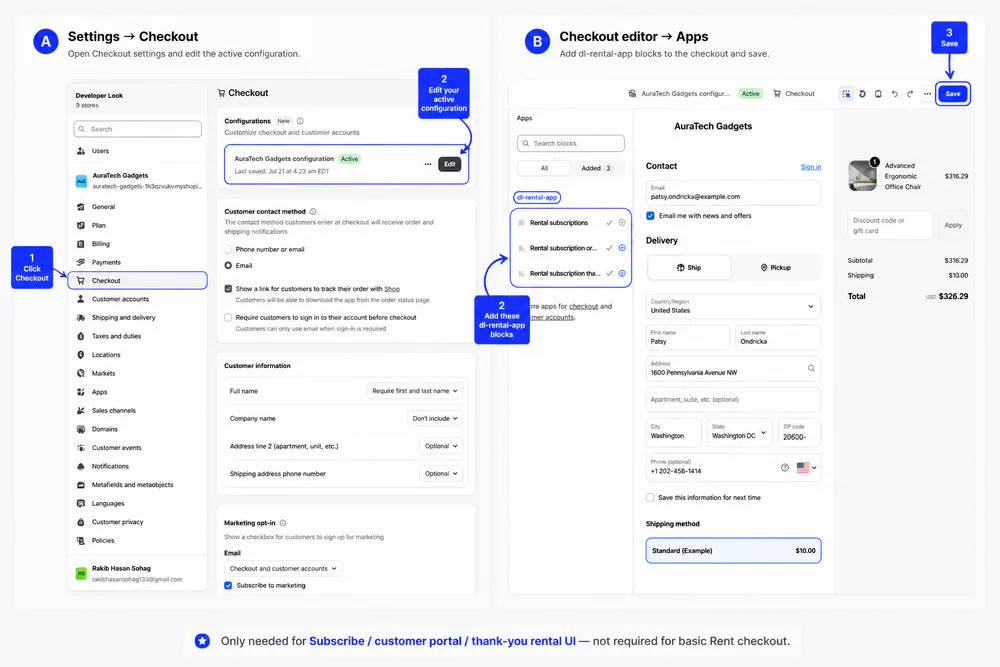
Lifecycle
From the first cycle to the return
Subscriptions use the same statuses, customer emails and in-app alerts as rentals, with Shopify billing each cycle.
The subscription starts
A shopper checks out on the Subscribe tab, or you create it in New Booking. From the start date, the units are reserved on the shared fleet.
The gear goes out
Pickup, Delivery and Shipping work as they do for rentals, with the same emails. Each cycle, Shopify bills the plan and Next Payment moves forward.
A renewal charge fails
The booking turns overdue and keeps its units. Shopify emails the customer a secure link to update their payment method, and a paid retry sets it back to confirmed.
The customer cancels
Customers cancel from Subscriptions in their account or on the product page, and billing stops at once. If the gear is still out, the booking shows Ending and keeps its units until it's back.
Back on the shared fleet
Mark the fulfillment Returned and the subscription closes. Its units are free again for Rent and Subscribe.
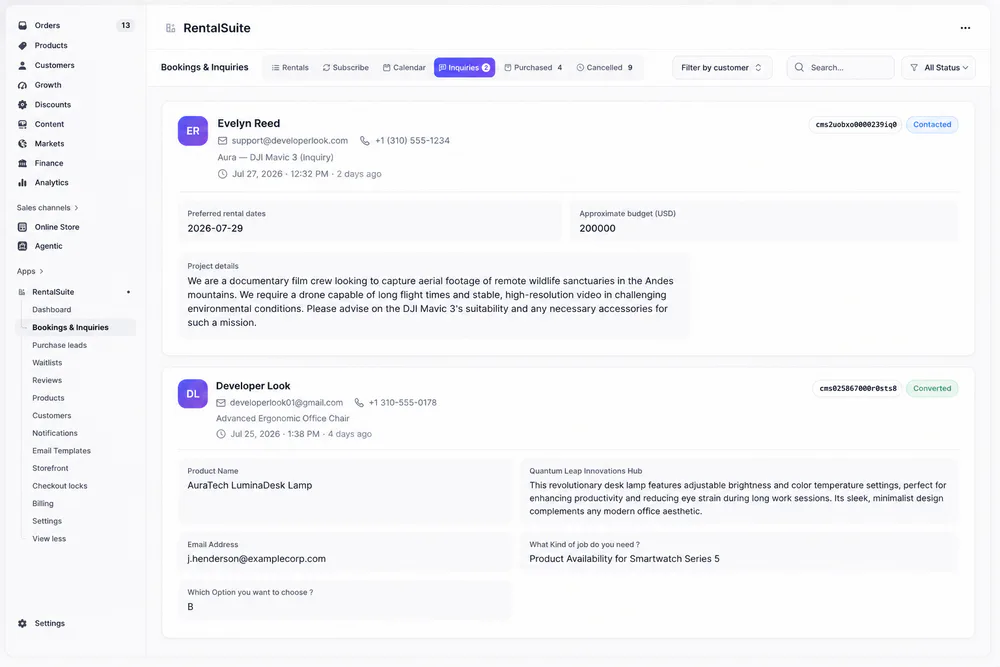
Bookings → Subscribe lists every subscription with its start date, next payment and status.
Related
Works with the rest of Rental Suite
FAQ
Subscribe rentals questions
Common questions about Subscribe rentals in Rental Suite.
Subscribe is a recurring rental mode on the same product. Rent is a date-range booking; Subscribe blocks shared-fleet units from the start date until cancelled.
No. Subscribe uses the shared fleet pool, never buy-only units.
In Rental Suite Bookings → Subscribe tab, or create one with New Booking → Subscribe.
Get started
Start taking rentals on Shopify today
Install Rental Suite, link your products and publish the rental block. Your first 20 rental bookings each month are free.
Your first hour
- Link a productProducts
- Set day, week and month ratesPricing
- Publish the rental blockTheme editor
- Take your first bookingBookings