Product reviews for rentals
Collect storefront reviews after completed bookings and moderate replies from the same admin app as Rental Suite bookings.
Reviews tied to real rentals: publish, hide, and reply in admin.
Product reviews
Only customers with a completed booking can review a product, and each review waits in Pending approval until you publish it. You reply, hide and restore reviews from Rental Suite admin.
Each review is tagged Rent, Buy or Subscribe, and a customer can leave one per booking type on a product.
From booking to review
Reviews from customers who booked
A completed booking opens the review form, your team gets an alert, and you reply and publish from the review detail.
Rent reviews open once the rental is marked returned, Buy once the order is delivered or picked up, and Subscribe with an active or ended subscription. Pending bookings don't qualify yet.
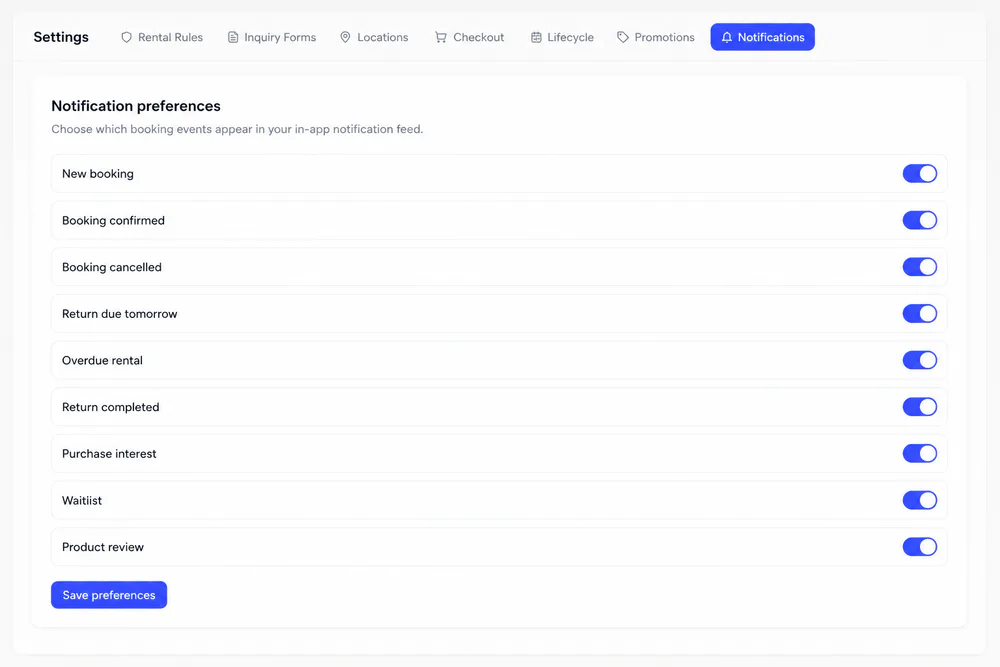
Each submission posts a New product review alert with the star rating and booking type. The Product review switch in Settings turns these alerts off.
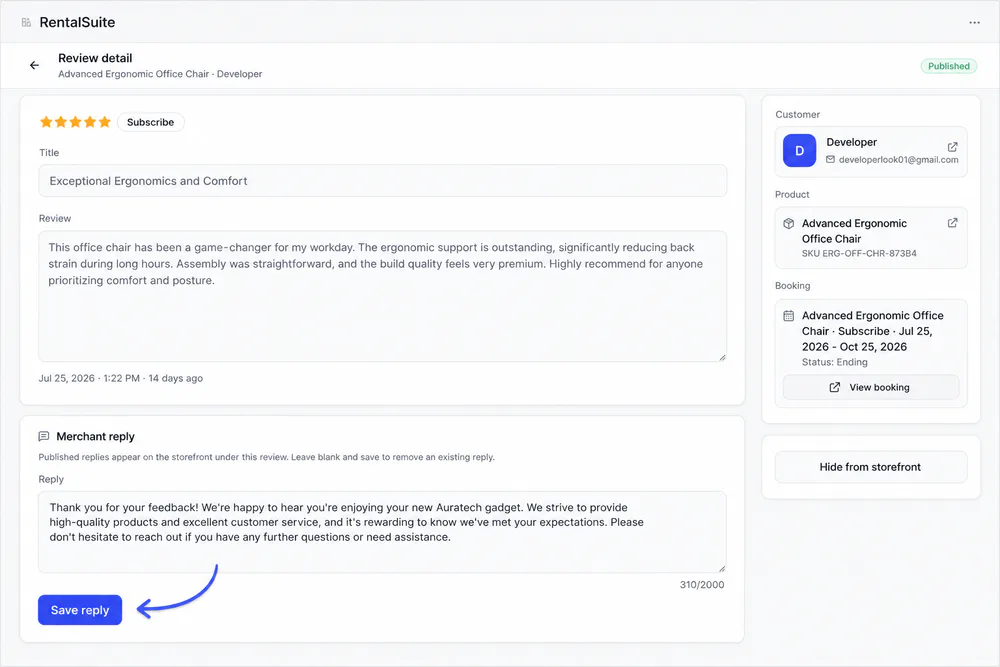
See the customer, product and booking behind the review, then save a public reply of up to 2,000 characters. Publish or hide it from the side panel.
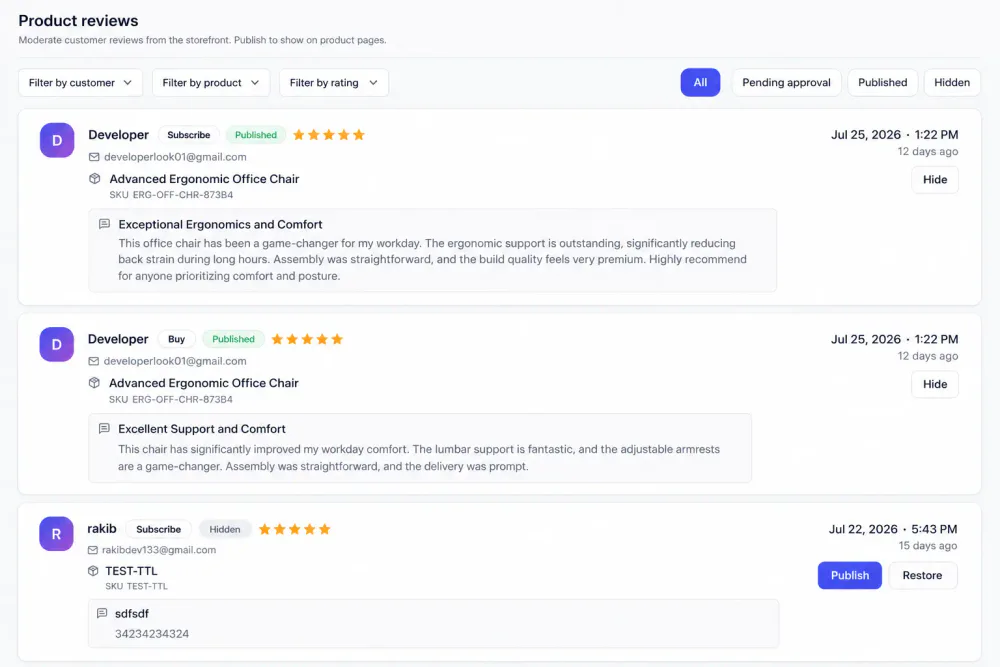
Moderation
Every review, sorted by status
Filter the Product reviews list by customer, product or rating. New reviews arrive as Pending approval: Publish or Hide each one from the list, and Restore sends a hidden review back to pending.
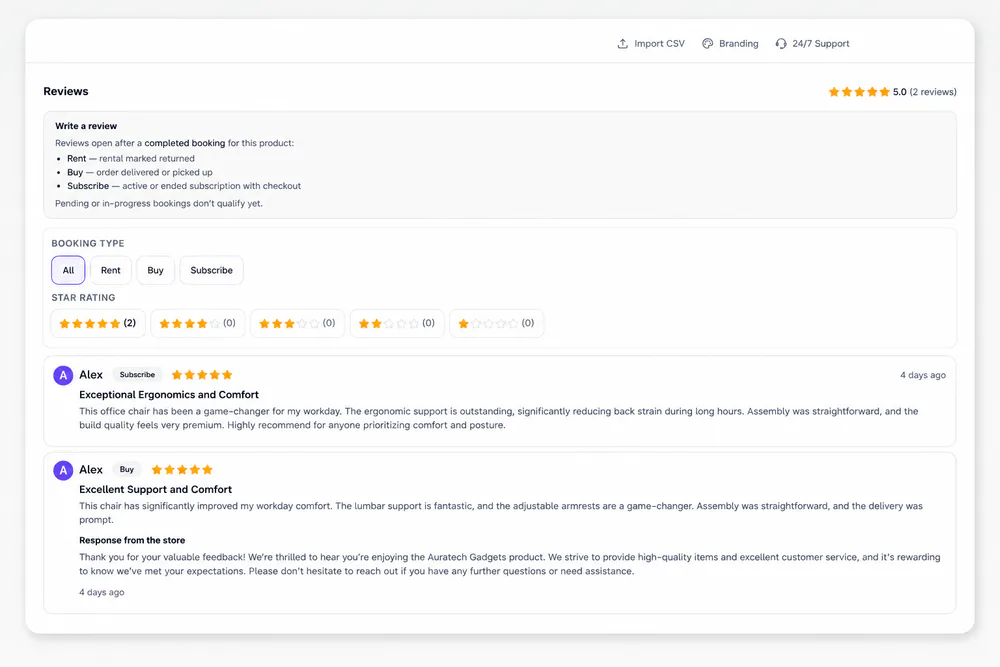
On the product page
What shoppers see
Published reviews appear on the product page with the average rating, two filters and your replies.
Related
Works with the rest of Rental Suite
FAQ
Product reviews questions
Common questions about product reviews in Rental Suite.
After a completed booking (rent, buy, or subscribe). The storefront explains when reviews open.
Yes. Rental Suite Reviews use the same customer multi-filter pattern as Bookings.
Yes. Open a review in admin, write a merchant reply, and save. Published replies appear under the review on the storefront.
No. Reviews are social proof only. Stock and booking rules stay separate.
Get started
Start taking rentals on Shopify today
Install Rental Suite, link your products and publish the rental block. Your first 20 rental bookings each month are free.
Your first hour
- Link a productProducts
- Set day, week and month ratesPricing
- Publish the rental blockTheme editor
- Take your first bookingBookings