Bookings & calendar for rentals
Manage rentals, subscriptions and calendar occupancy from one Bookings hub, with New Booking stock math that matches your storefront.
List, calendar and create flows share one inventory model with the storefront.
Bookings hub
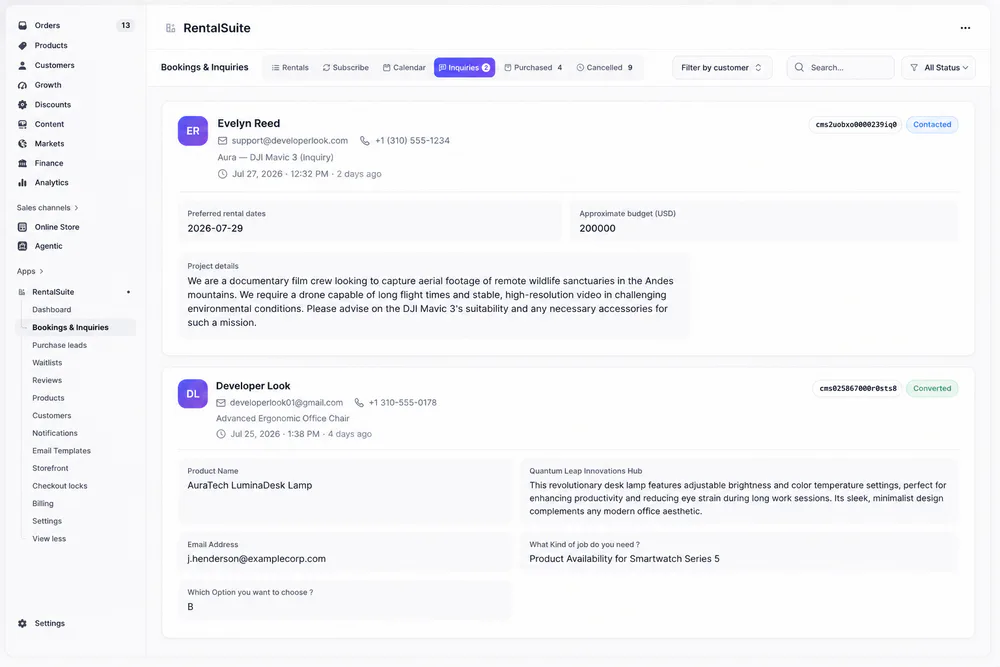
Rentals, subscriptions, inquiries, purchases and cancellations live in one Bookings & Inquiries screen, on the same stock rules shoppers see.
The tabs match the admin screen, so your team always knows where a booking lives.
A rental day
Operate the rental day
Storefront dates, the admin date picker, the New Booking form, then fulfillment: Pickup, Delivery or Shipping.
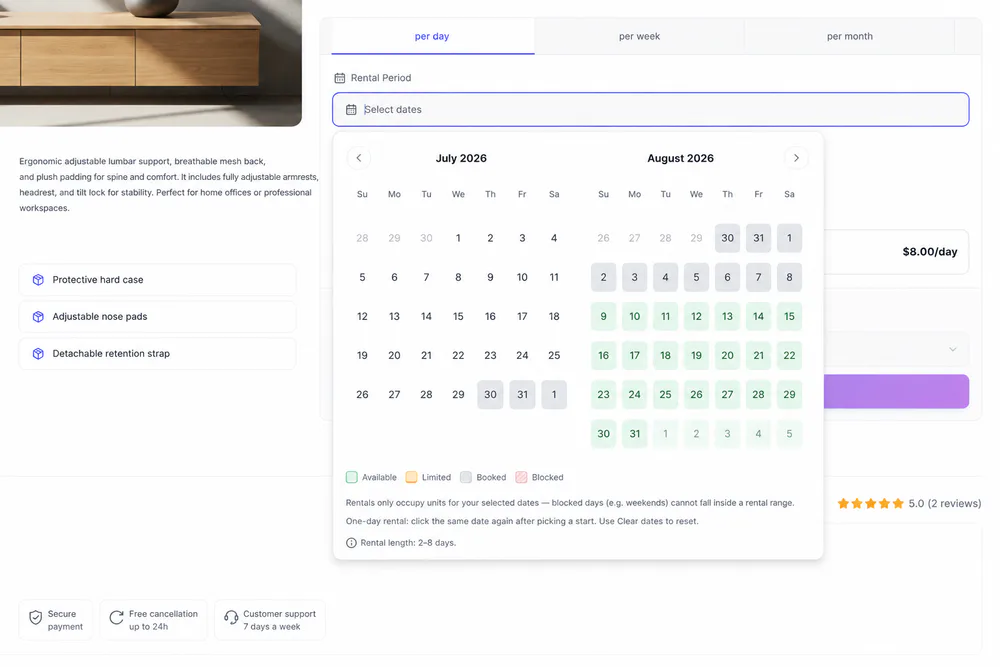
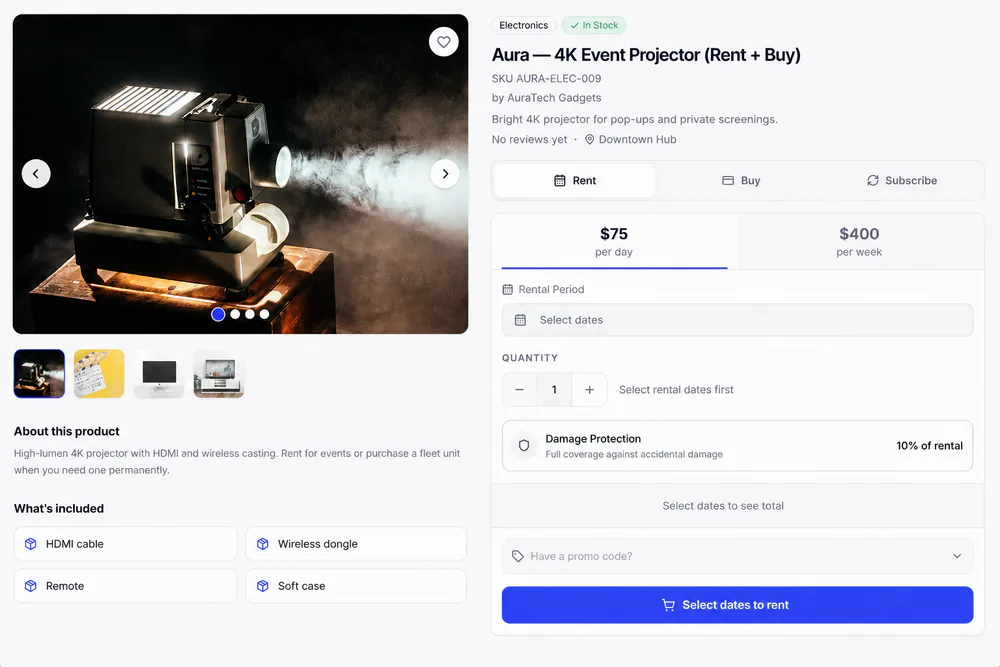
Shoppers open the calendar to see available, limited, booked and blocked days, plus min and max length and shop rules, before they confirm a range.
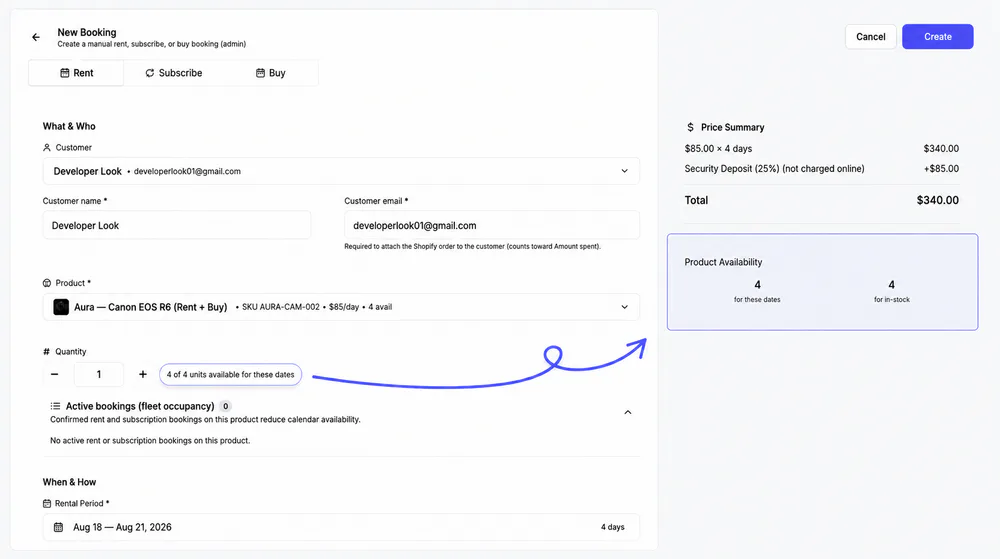
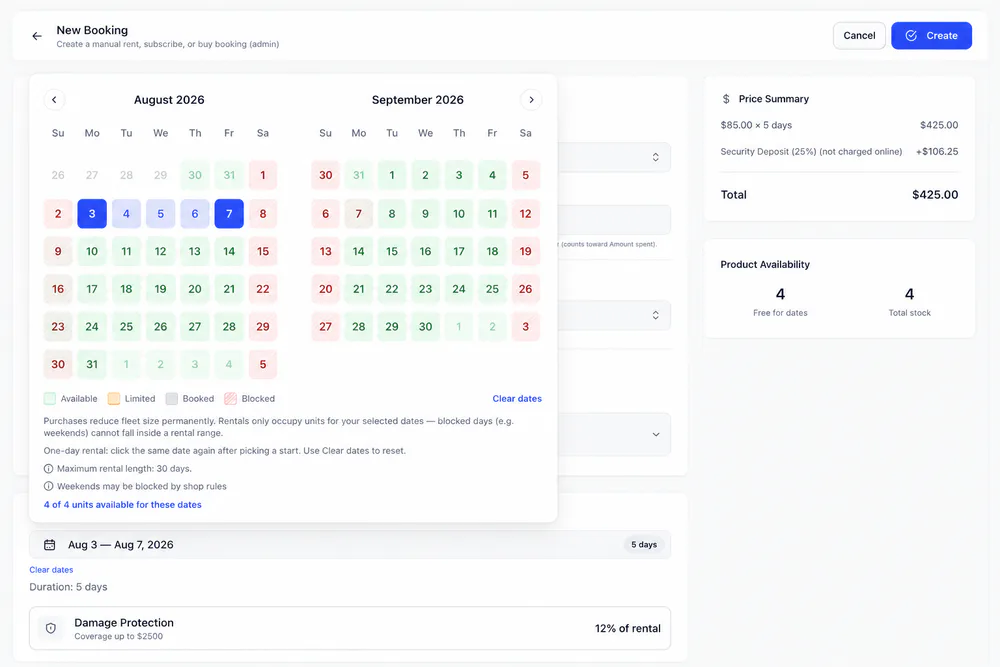
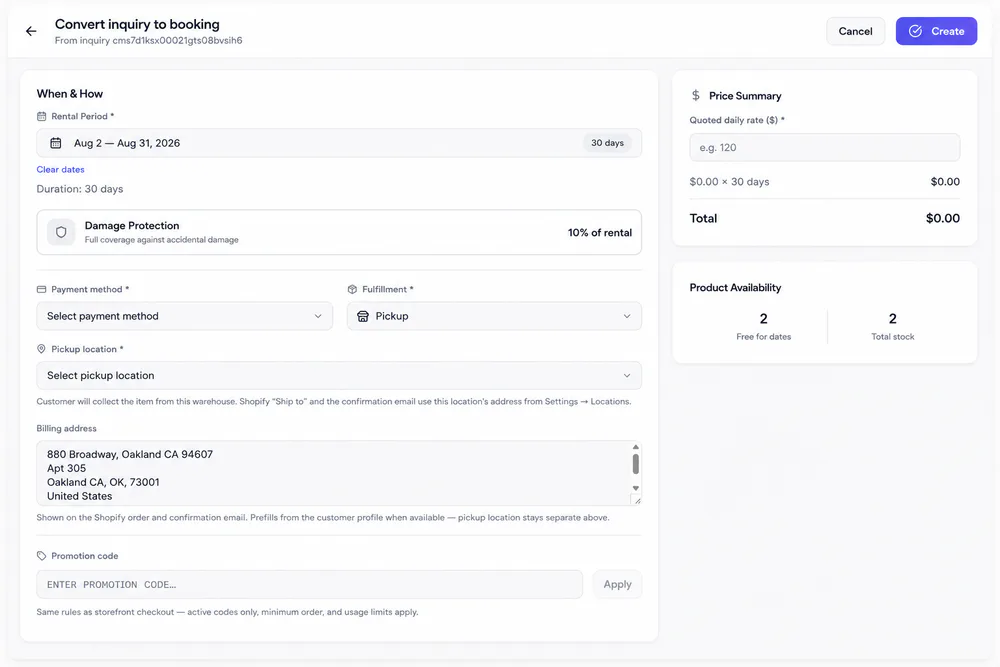
In admin, the same availability calendar opens when you pick rental dates, with live free units for the range before you create the booking.
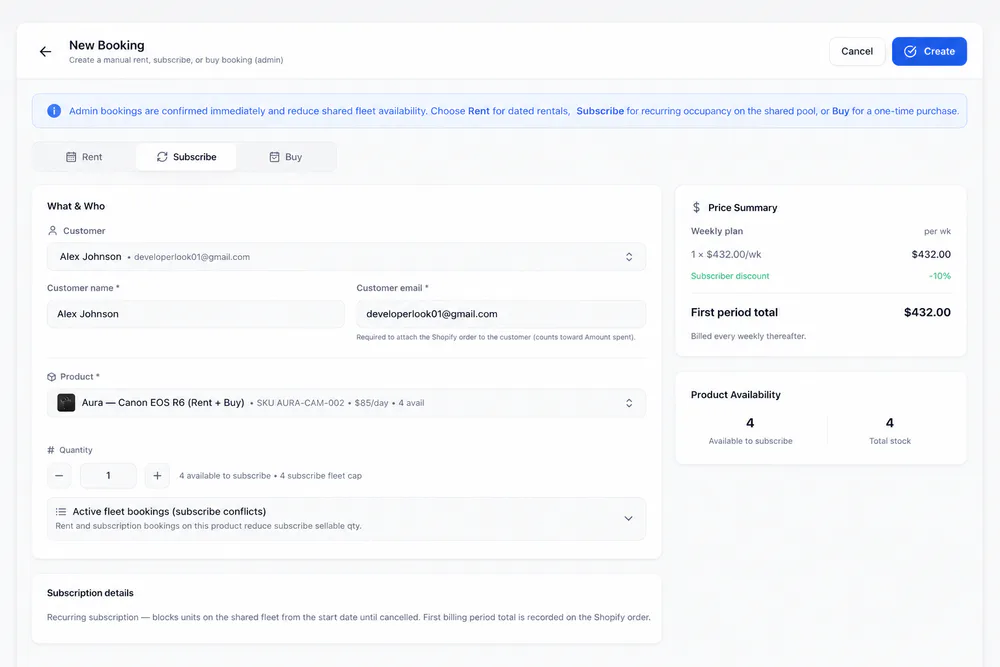
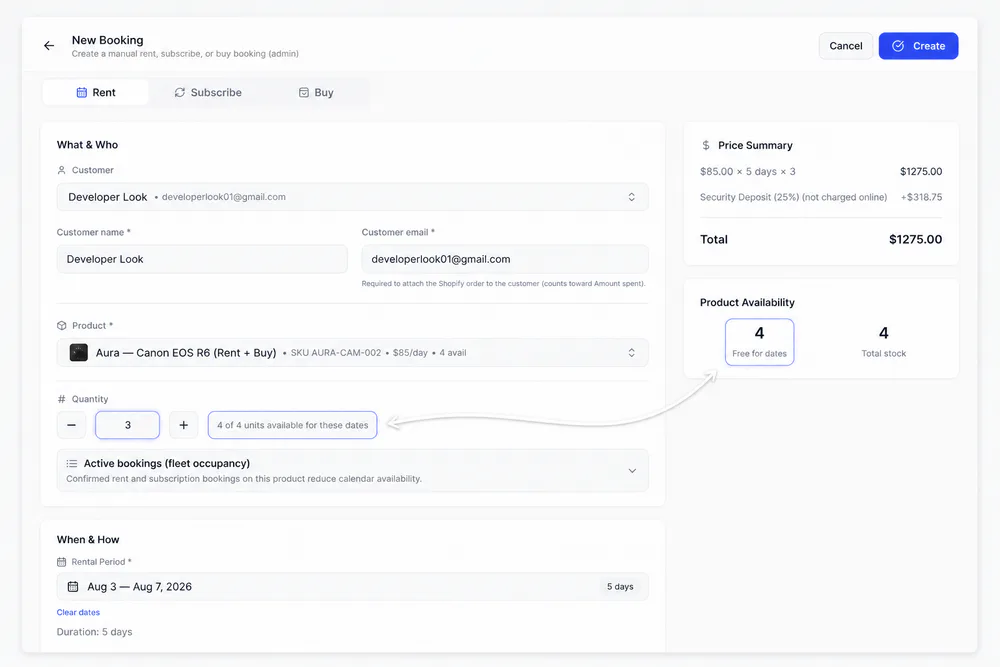
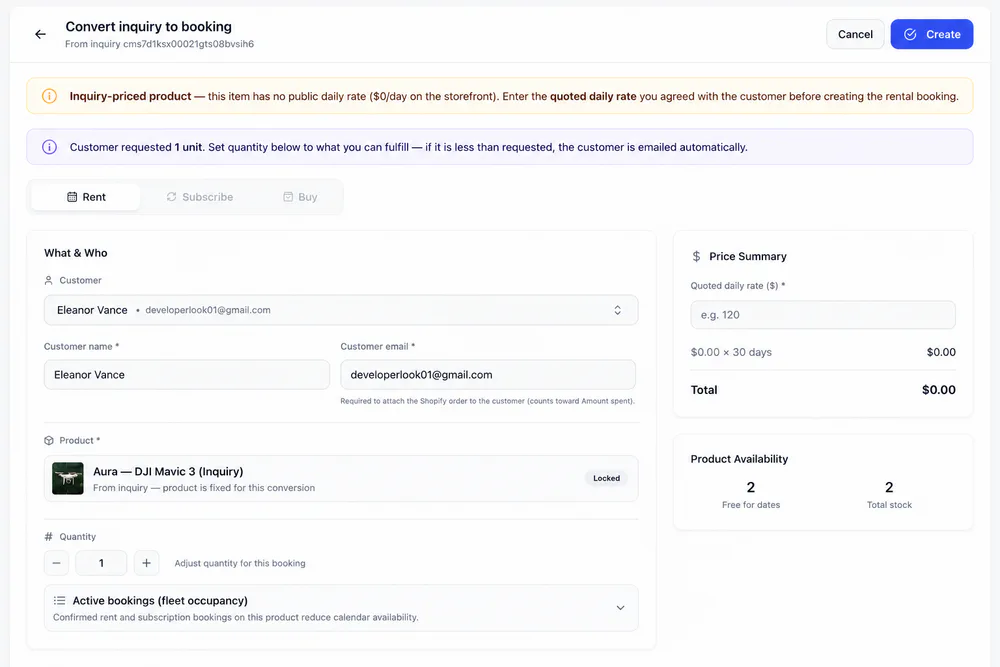
Customer, product, quantity, dates, price summary and stock: everything you need to create a rental with the same sellable rules as the storefront.
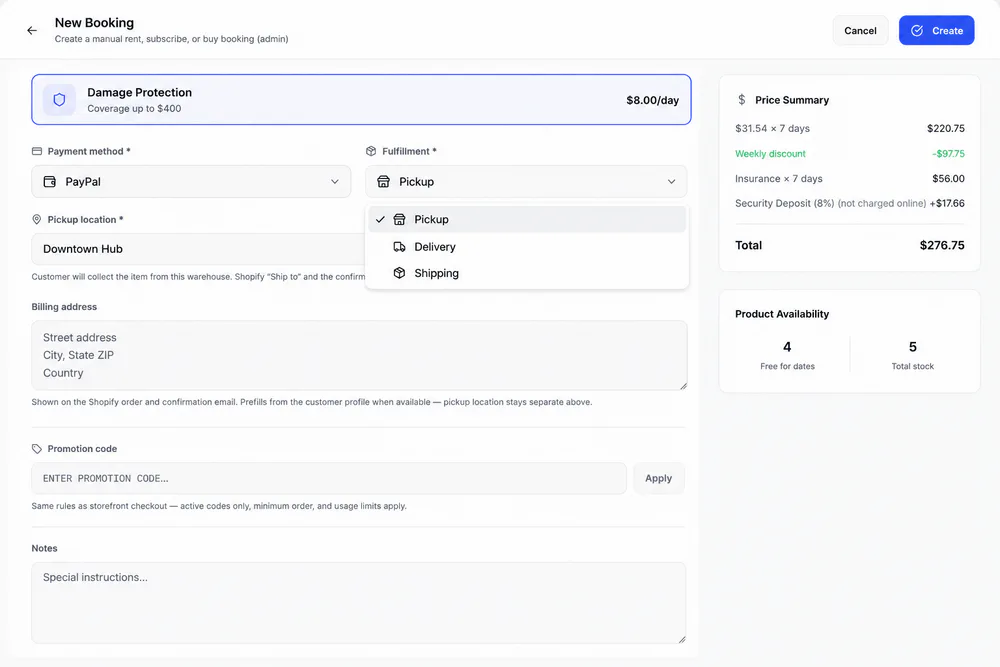
Choose how the rental gets to the customer, then set location or address details for the Shopify order and confirmation email.
New Booking
Everything staff need on one screen
Create phone, walk-in and repeat rentals in admin. New Booking checks the same stock and date rules as the storefront before you create the booking.
Calendar
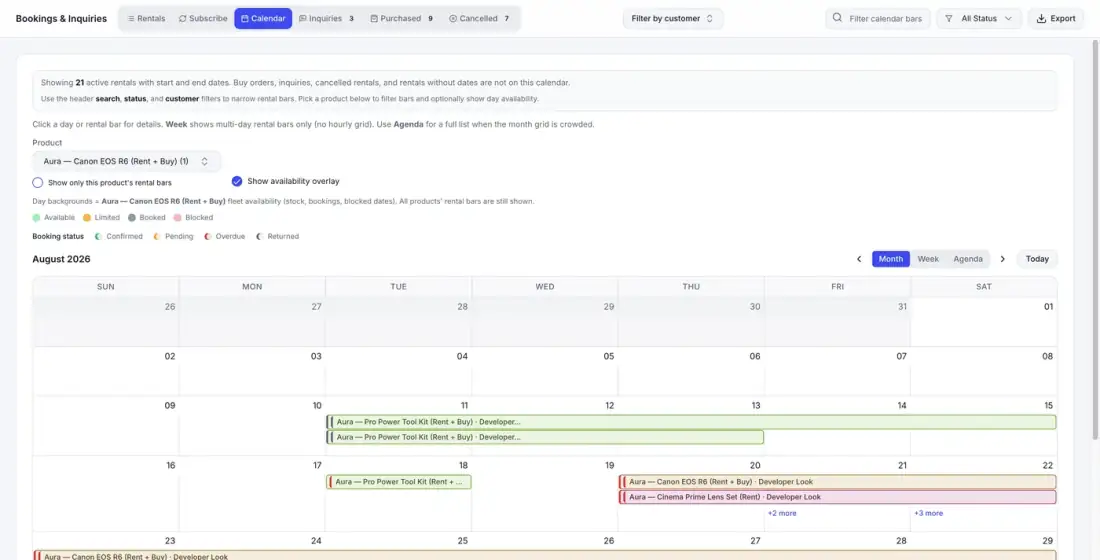
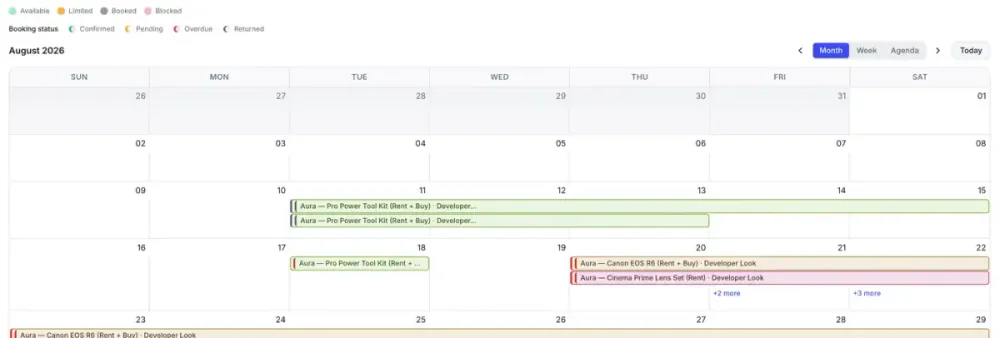
See every rental on one calendar
Month, Week and Agenda views show every active rental with start and end dates. Pick a product to overlay its day availability on the month.
Lifecycle
From booking to return, everyone hears about it
Customer emails and in-app alerts go out at each step of a rental. You edit the email templates and choose the alerts in Settings.
A booking comes in
From storefront checkout or New Booking in admin. Shopify sends its own order confirmation; one Liquid snippet adds the pickup location and rental promo links to it.
The booking is confirmed
The customer gets your Order Confirmation email, and the booking shows on the calendar with a confirmed bar.
The gear goes out
Hand it over at a pickup location, or mark the order dispatched and delivered. Each step sends its own email.
The return date comes up
The customer and your team get a reminder the day before. If the gear is late, the booking turns overdue on the calendar.
Back on the shelf
Mark the return complete and the units are free for the next booking. If damage is reported, an optional follow-up email goes to the customer.
Booking Updated (off by default) and Booking Cancellation emails cover changes along the way.
Inquiries
Turn a quote into a booking in two steps
Quote-only products collect requests on the storefront. When the customer agrees, convert the inquiry without retyping it. The quoted rate carries over.
Related
Works with the rest of Rental Suite
FAQ
Bookings & calendar questions
Common questions about bookings and the calendar in Rental Suite.
Yes. Live capped stock and serial lanes use the same sellable rules as storefront checkout.
Rentals, Subscribe, Calendar, Inquiries, Purchased and Cancelled, matching the admin Bookings & Inquiries screen.
Yes. Use New Booking for phone or walk-in rentals while inventory stays accurate.
Inquiry requests appear on the Inquiries tab. The Inquiries & quotes feature page covers the quote pipeline.
Get started
Start taking rentals on Shopify today
Install Rental Suite, link your products and publish the rental block. Your first 20 rental bookings each month are free.
Your first hour
- Link a productProducts
- Set day, week and month ratesPricing
- Publish the rental blockTheme editor
- Take your first bookingBookings