Email templates & notifications
Customize rental emails and in-app alerts so renters and your team stay informed in Rental Suite.
Templates for renters, notifications for your team: one settings surface.
Email & alerts
Rental Suite emails your customers at each step of a booking and posts in-app alerts for your team. You decide which emails send, what they say and which alerts appear.
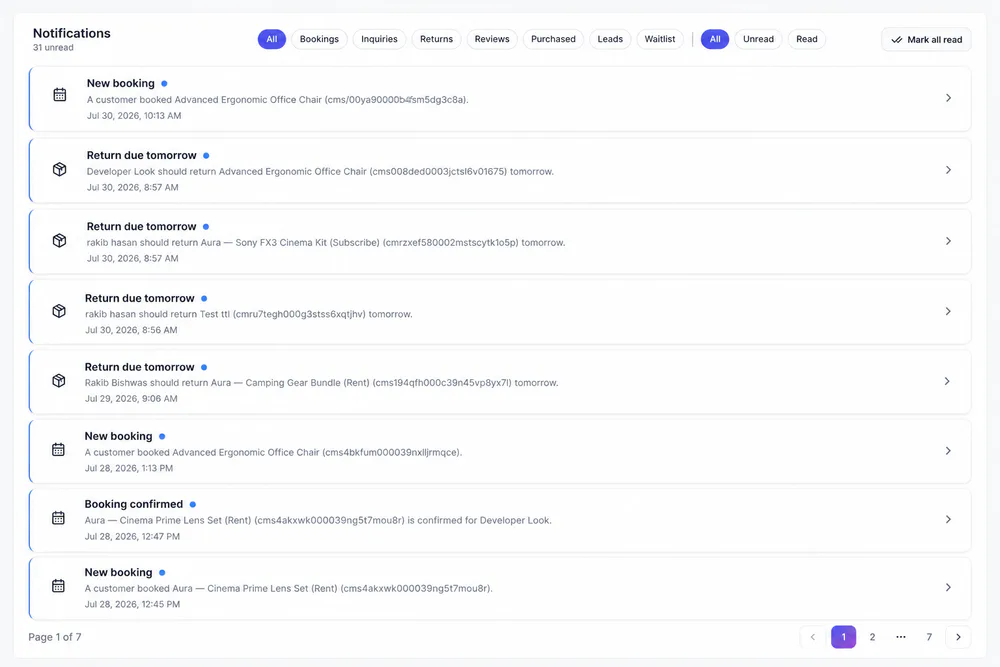
In the Notifications feed, alerts filter by area, so whoever handles returns or reviews sees just those.
Templates and alerts
Emails customers read, alerts your team sees
Start from the built-in templates, adjust the ones you use, then choose the alerts your team wants.
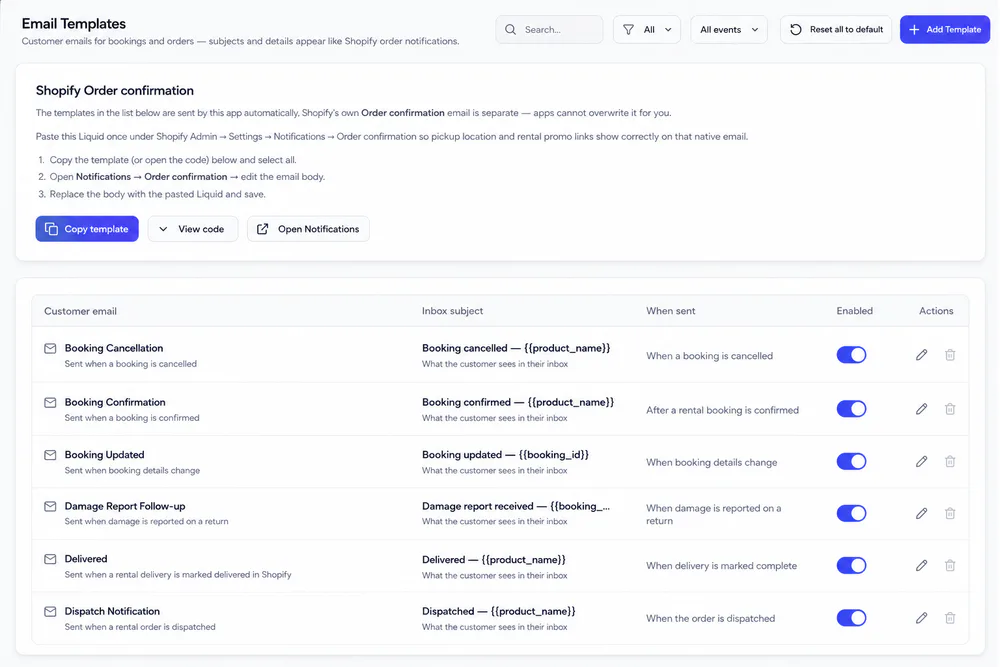
Each row shows the inbox subject, when it sends and an Enabled switch. The card on top holds the Liquid you paste once into Shopify's own Order confirmation.
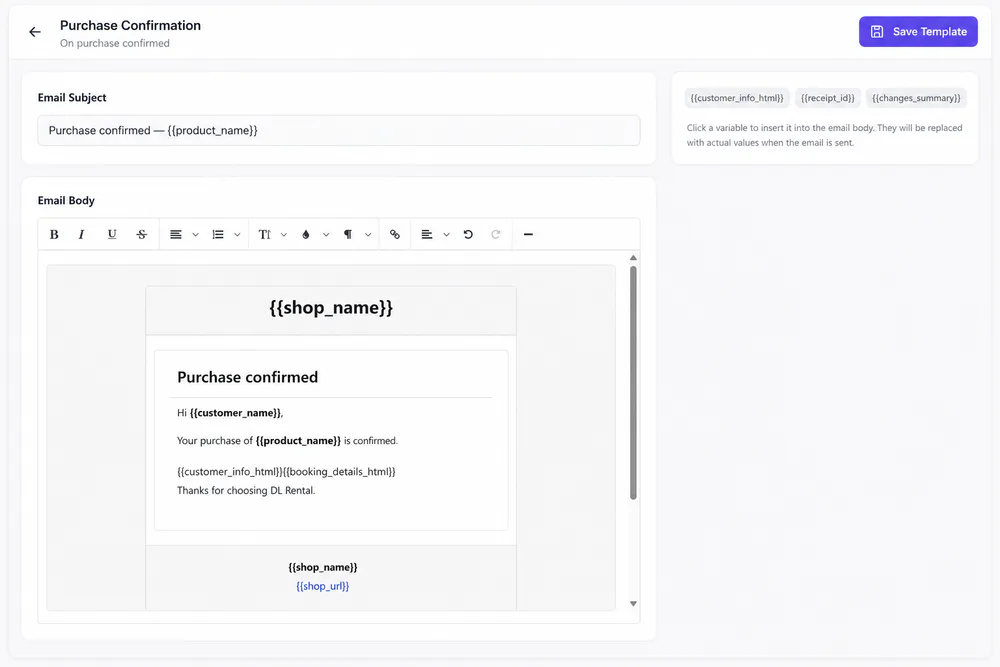
Change the subject line and the HTML body with the formatting toolbar. Click a variable such as {{customer_name}} to insert it.
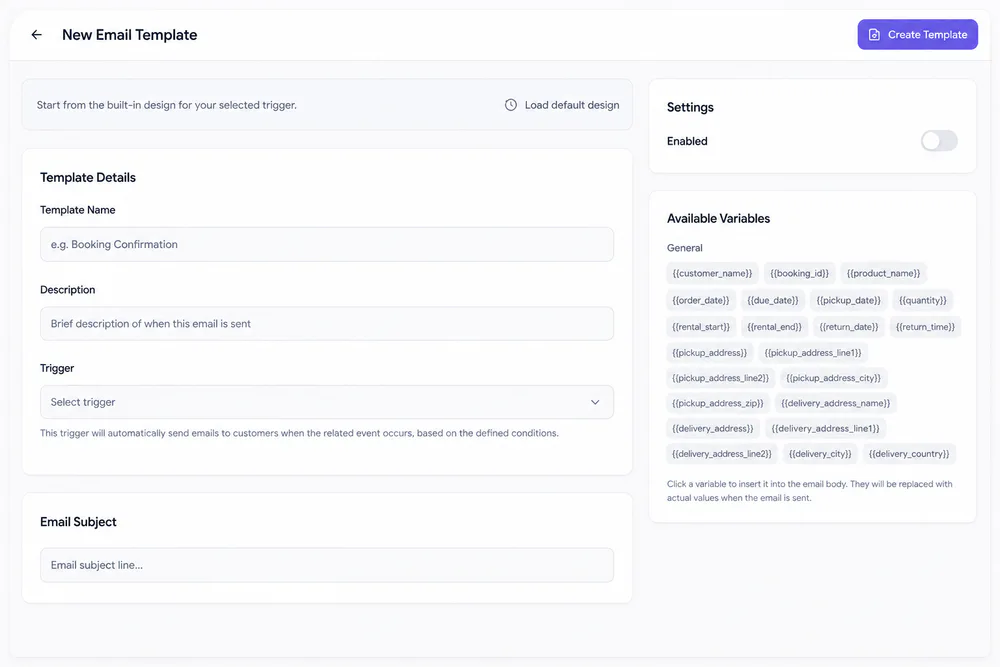
Add Template asks for a name, a description and a trigger, such as On dispatch or On pickup ready. Load default design starts you from the built-in layout.
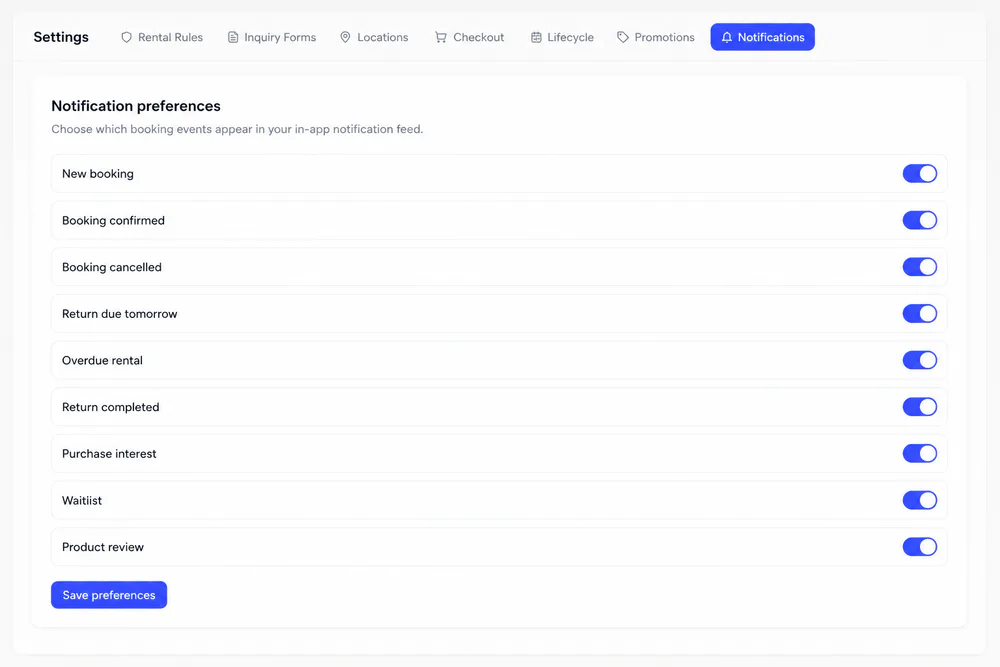
Settings → Notifications has a switch for each alert type, such as New booking, Overdue rental and Product review. Save preferences to apply them.
Notifications
Every alert links to its record
Bookings, returns, reviews, purchase leads and waitlist joins land in one feed that you can filter by area.
One rental
What a pickup rental sends
With the default templates on, every step of a pickup rental emails the customer, and key moments alert your team.
The booking is confirmed
The customer gets Order Confirmation with the payment and booking details, and a New booking alert reaches your feed.
Ready at the counter
Set the fulfillment to Ready for Pickup and the customer gets the pickup location, the booking details and a reminder to bring ID.
Out with the customer
Marking it Picked Up sends a short confirmation. The day before the end date, the customer gets a return reminder and your team gets an alert.
If the return date passes
The rental turns Overdue. The customer gets an Overdue Notice, and your team gets an Overdue rental alert.
The gear comes back
Mark it returned and the customer gets a thank-you email. If a deposit was charged, the refund email follows once it's issued.
Settings → Lifecycle sets how many days ahead the return reminder goes out and the grace period before a rental turns overdue. An email sends only while its template is enabled.
Email delivery
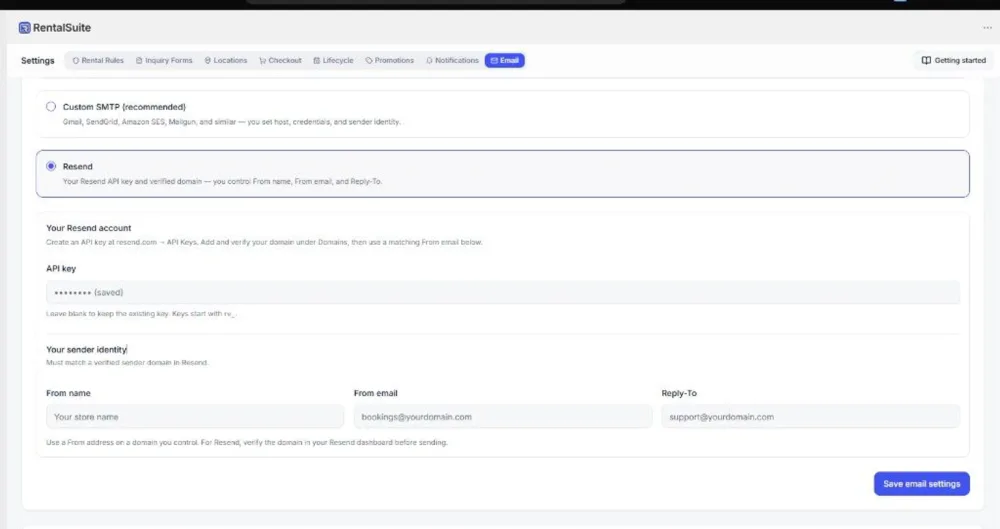
Send from your own domain
Under Settings → Email, keep the shared platform mail or switch to Custom SMTP or Resend, with your own From name, From email and Reply-To. Send a test email before you rely on it.
Related
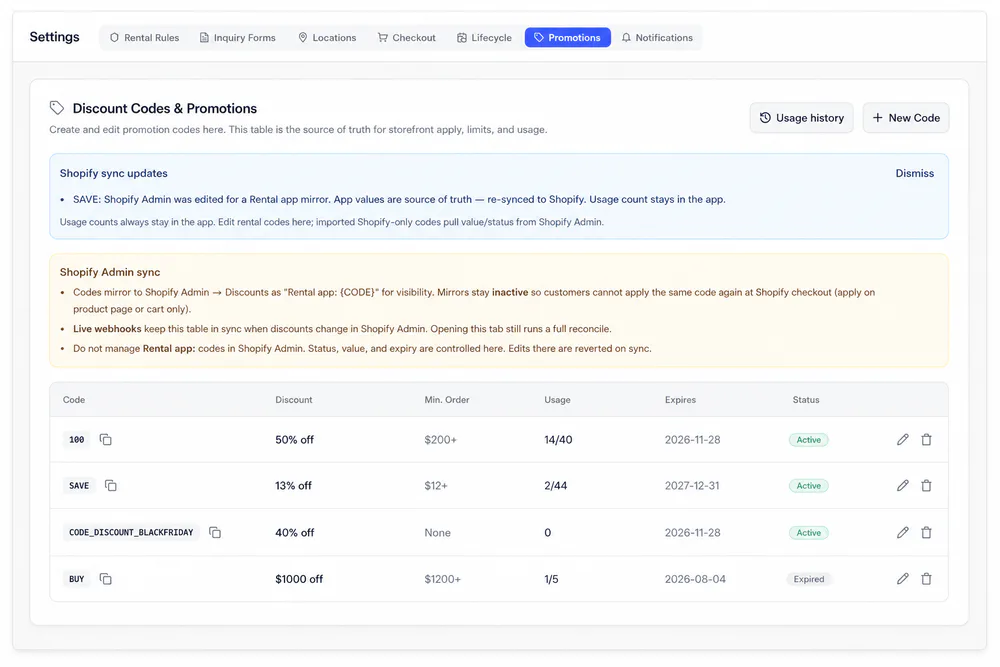
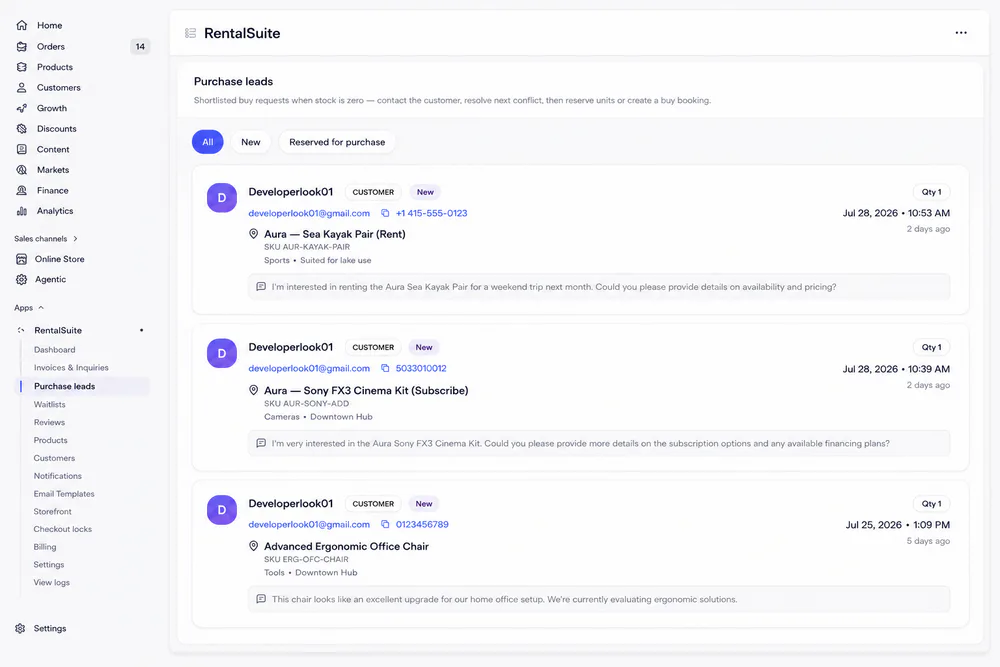
Works with the rest of Rental Suite
FAQ
Email & notifications questions
Common questions about email and notifications in Rental Suite.
No. Order confirmation Liquid is merchant paste-only: copy from Email Templates setup, then paste in Shopify. The app does not silently overwrite it.
Yes. Reset to default copy from the template editor when you need a clean baseline.
Yes. In-app notifications are for your team inside the admin app. Email templates go to customers.
Get started
Start taking rentals on Shopify today
Install Rental Suite, link your products and publish the rental block. Your first 20 rental bookings each month are free.
Your first hour
- Link a productProducts
- Set day, week and month ratesPricing
- Publish the rental blockTheme editor
- Take your first bookingBookings